


How to Stop Google From Tracking Me: A Complete Privacy Guide

You’re on your way to work, and Google Maps knows your route. Later, you search for “coffee near me”, and ads seem to know you love lattes. You stay signed in because it’s convenient — but you can’t shake the feeling that Google knows too much.
The trade-off for “free” services is your data. This guide shows you a smarter way to stop Google from tracking you and take back control of your location.

Why Is Google Tracking Me So Much?
Data is Google’s currency. Every search, YouTube video, and Maps route feeds into a profile that marketers pay to reach. That data comes from Google’s own apps, Google Analytics on other sites, and the Android operating system, more than you probably realize.
Even when you’re not actively using a Google product, the company still tracks your location (unless you turn it off), which sites you visit via Google Analytics, and your activity across all devices tied to your Google account. Privacy isn’t the default; you have to enable it.
The 7 Most Important Settings to Stop Google Tracking
There are seven key settings that can significantly limit how much Google tracks you. All of them are inside your Google Account. Go to myaccount.google.com, then follow the steps below for each. Turning off all seven creates strong barriers, and the whole process takes 10 minutes or less.
1. Web & App Activity
This is Google’s main data switch. When turned on, Google logs all your search activities, your visits to websites with the Chrome browser, and your interactions with Google apps. To disable it, go to myaccount.google.com > Data & Privacy > Web & App Activity and pause the setting. You can also clear all past activity data from the same page. This means Google will have less visibility into your lifestyle.

2. Location History
Location History builds a map of everywhere you’ve been. Google uses it for targeted ads and to “improve” its services. To turn it off: go to myaccount.google.com > Data & Privacy > Location History. Toggle it off, or delete your history for a fresh start.

3. YouTube History
YouTube keeps two separate histories: your watch history and your search history. Both fuel your advertising profile. Turn them off at myaccount.google.com > Data & Privacy > YouTube History. Note that disabling watch history will make YouTube recommendations less personalized, an acceptable tradeoff for privacy.

4. Ad Personalization
Google may still show you ads based on inferred interests, even with other tracking minimized. Disabling ad personalization stops targeted ads, but you’ll still see generic ones. Go to myaccount.google.com > Data & Privacy > Ad Settings > Ad Personalization to turn it off. On Android, you can also disable ad personalization via Settings > Privacy > Ads.

5. Location Sharing
Google’s “Location Sharing” (inside Google Maps) lets you share your real-time location with specific contacts. Check that you haven’t accidentally left it on: open Google Maps, tap your profile picture icon, select Location Sharing, and remove any contacts. This is separate from Location History, so review it independently.

6. Google Maps Location Permission
Beyond Google’s account settings, the Maps app also requests location permission at the operating system level.
For iPhone: Settings > Privacy & Security > Location Services > Google Maps, then set to “While Using the app” (not “Always“).

For Android: Settings > Apps > Maps > Permissions > Location, and choose “Allow only while using the app“.

This prevents Maps from tracking your location when you’re not actively using it.
7. Do Not Track Request
Most browsers include a “Do Not Track” option that asks websites (including Google’s) not to track you.
In Chrome: Settings > Privacy and Security > Cookies and other site data > Send a Do Not Track request. However, compliance is voluntary, so treat DNT as an extra layer, not a standalone solution.

So, Can I Completely Stop Google From Tracking Me?
Even with everything turned off, Google can still track your IP address, browser type, and approximate location every time you visit a site that uses its services. As Google itself acknowledges, searches remain location-specific even after you disable location settings, because the company also uses network data (not just GPS). That’s the gap between “settings off” and “truly private”, and it’s exactly where a location spoofing tool can help.
The Perfect Solution: How to Take Full Control of Your Location
Changing Google’s settings reduces what it officially tracks, but your device’s real-time GPS coordinates are still vulnerable. MocPOGO, a professional GPS location changer, solves this by replacing your reported GPS location with any location you choose. It’s not about reducing tracking, it’s about full control.
What MocPOGO Offers
1. Instant Location Change
Click any spot on the map, and MocPOGO changes your GPS instantly. No VPNs, no system hacks, no networking know-how. Apps that need your location, like Google Maps, will only see what you decide to share.
2. Simulate Natural Movement
A fixed fake location can make it obvious that your GPS is being spoofed. MocPOGO lets you simulate realistic movement between two points with fully adjustable speeds — walk, bike or drive at the pace you choose.
3. No Jailbreak or Root Required
Many location tools require jailbreaking or rooting, which voids warranties and compromises security. MocPOGO works on standard iOS and Android devices, no modifications, no expert skills needed.
4. Use Anywhere, on Any Device
MocPOGO is available for iOS, Android, Windows, and Mac. You can use it directly on your phone or on your computer for added flexibility.
5. Wide App Compatibility
MocPOGO works seamlessly with a wide range of location-based apps, including popular games like Pokémon GO, social apps such as WhatsApp and Snapchat, and dating apps like Tinder and Hinge.

168,282 people have downloaded it.
- Spoof your GPS location to stop Google from tracking.
- Block location tracking for all Google apps.
- Change the location of all location-based games/apps.
- Support GPS joystick to play AR game on PC.
- Save favorite fake locations for privacy switching.
- Compatible with the latest iOS & Android versions.
How to Use MocPOGO to Protect Your Privacy
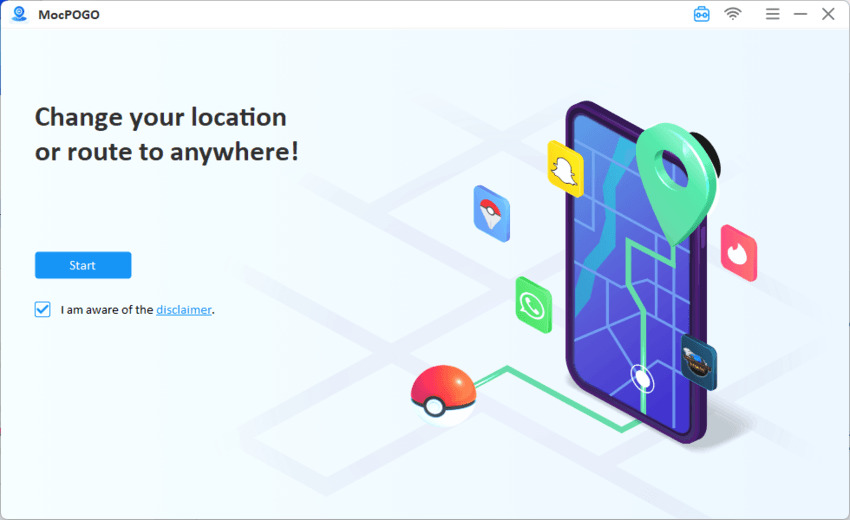
Step 1 Download the latest version of MocPOGO and install it on your computer. Open the tool and click on the Start button.
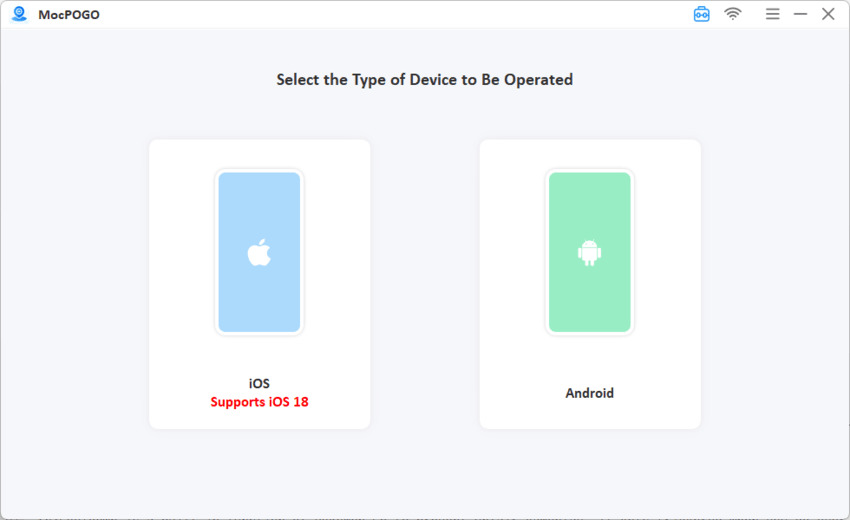
Step 2 Connect your device and then select iOS or Android.
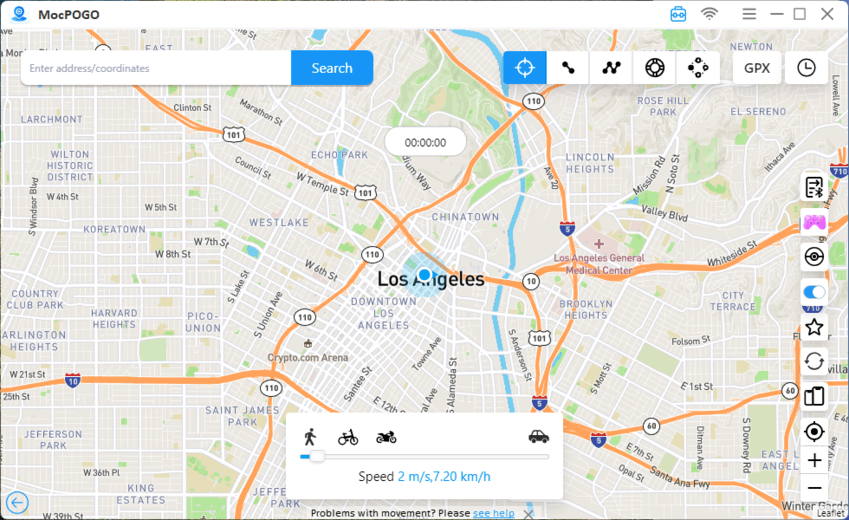
Step 3 Choose a location. Enter a city name, click on any location in the world, or enter coordinates.
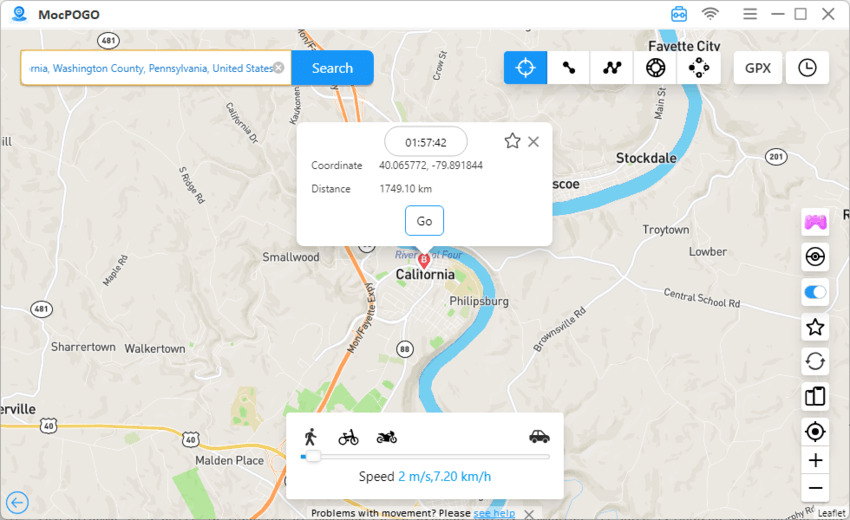
Step 4 Click GO to instantly spoof the location. Your device’s GPS updates instantly. Open Google Maps or any other app, they’ll now see your chosen location.
Conclusion
You can tweak every Google setting, but your phone will still share your real location through Wi-Fi, cellular networks, and GPS. That’s why limiting tracking isn’t enough. You need to control what data leaves your device in the first place.
MocPOGO Location Changer does exactly that. It replaces your actual GPS coordinates with any location you choose. Google Maps, Search, and every other service will see only what you want them to see. You move from limiting tracking to owning your location. That’s the real way to stop Google from tracking you.


