


3 Workable Ways to Change Google Account Location

You may need to update your Google location for various reasons. Perhaps you’ve moved to another country or need apps that aren’t available locally. Sometimes your real need is temporary access without permanently changing everything. That raises one clear question: how to change the Google Account location in minutes?
Quick Answer: You can change your Google Account location in three main ways. The first uses the Google Play Store on Android to switch countries. The second uses Google Payments on a computer to update region details. The third uses MocPOGO Location Changer to quickly change your device’s GPS location. Each method works differently, so the best choice depends on flexibility, speed, and whether you want a permanent or temporary change.

Part 1. Why Change Your Google Account Location?
You may need to make this change for a clear reason. The need often starts with access, convenience, or privacy.
- You moved to a new country. Google services often tie app access and payment options to your account region. Changing the location can make local apps and services easier to use.
- You want region-locked apps or content. Some apps, games, and digital content only appear in selected countries. A location change may help you see options that are missing in your current region.
- You want better local recommendations. Google can show country-based offers, app choices, and service suggestions. A matching region can improve what you see inside Google Play.
- You need more privacy control. You do not want apps reading your real location all the time. A temporary GPS change can provide more control without permanently changing everything.
You might find these reasons reasonable, but still, the restrictions matter just as much as the benefits.
Part 2. Never Change Your Google Account Before You Read This
Before you pick a method, know its limits. That small step can save time and prevent frustration later.
1. Google does not allow frequent official country changes. Google Play country changes are limited and cannot be done again right away. That makes official methods less useful for frequent switching.
2. A local payment method may be required. Google may ask for a payment method from the new country. Many users get stuck here, even when the option appears available.
3. Older balances or purchases can be affected. Region-linked purchases, balances, or profile settings may not transfer correctly. It is wise to consider this before confirming a change of country.
4. Official country changes and GPS changes are not the same. Google Play and Google Payments change account country settings. A location changer like MocPOGO changes the device’s GPS location for temporary use cases.
5. You may not need a full account-country switch. If you only need short-term access to a location, flexibility matters more. In that case, a GPS Changer may be a better fit.
Once you understand these limits, the right choice becomes clearer. A direct comparison helps you decide faster.
Part 3. 3 Proven Ways to Change Your Google Account Location
Each method solves a slightly different problem. The best one depends on speed, flexibility, and account requirements.
| Method | Best for | Devices | Change type | Payment needed? | Waiting period | Main strength |
|---|---|---|---|---|---|---|
| Google Play Store | Official country change on Android | Android | Permanent account change | Usually yes | Yes | Official mobile option |
| Google Payments | Official country update on desktop | PC and Mac | Permanent account change | Usually yes | Yes | Better for account management on a computer |
| MocPOGO | Fast temporary location switching | iPhone, Android, Windows, Mac | Temporary GPS change | No | No long lock | Flexible and easy control |
Method 1: Change Google Account via Google Play Store on Android
This method is for Android users who need to change their country through official channels. It works inside Google Play settings when the option is available.
- Open the Google Play Store on your Android phone.
- Tap your profile icon and open the settings area.
- Look for the “Country and profile” option.
- Choose the new country if Google shows it in the list.
- Add a valid local payment method when required.
- Confirm the change and wait for the update.

Drawbacks: This method is official but lacks flexibility. The country option may not appear for every user. You may also need a local card from that region. It is a poor fit for frequent switching needs.
Method 2: Change Google Account Location on PC with Google Payments
This method is for users who prefer working on a computer. It focuses on payment profile and region settings.
- Sign in to your Google Payments account on a computer.
- Open the settings or payment profile section.
- Look for the option to update your “Country/Region”.
- Create or update a payment profile for the new country.
- Enter billing details and a local payment method.
- Save the changes and verify your region status.

Things to consider: This process is not as straightforward as it seems. It still depends on payment rules and profile eligibility. It also does not help much with short-term location needs.
Method 3: Use MocPOGO to Change Your Google Location Anytime
As a multi-device location spoofer, MocPOGO is fully compatible with Windows, Mac, iOS and Android, letting you to modify your GPS position safely without jailbreak or root. It supports one-click teleport, joystick movement, and route simulation for location-based apps. By altering your device’s GPS coordinates, MocPOGO makes Google services (such as Maps, Search, and Play Store) believe you are in a different city or country – without permanently changing your official Google Account region. That makes it useful for people who want fast control, flexible movement, and an easier way to manage temporary location needs across different devices.

168,282 people have downloaded it.
- Change GPS location on iOS device without jailbreak.
- Simulate GPS movement with custom speeds.
- Change the location of all location-based games.
- Compatible with Google Maps, Tinder, Life360, Snapchat, etc.
- Bookmark your favorite spots and routes.
- Support the latest iOS 26 and Android 16.
Steps to change Google location with MocPOGO:
Step 1 Download and install MocPOGO on your computer.
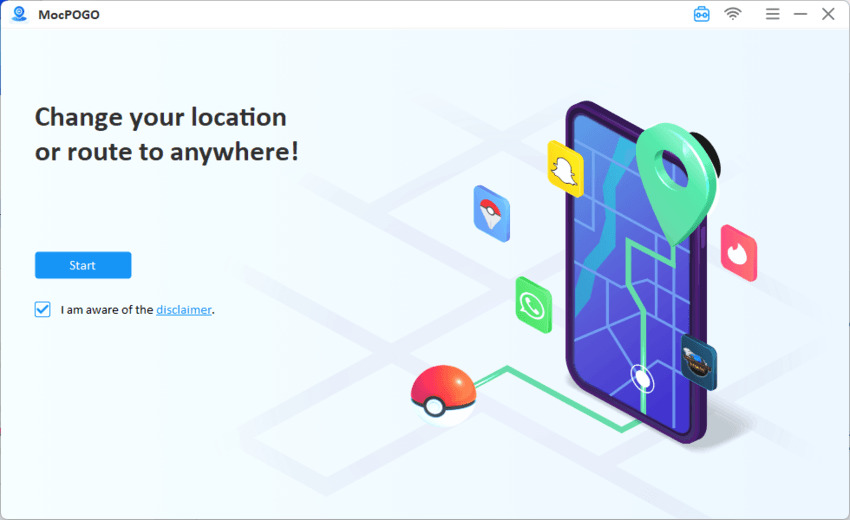
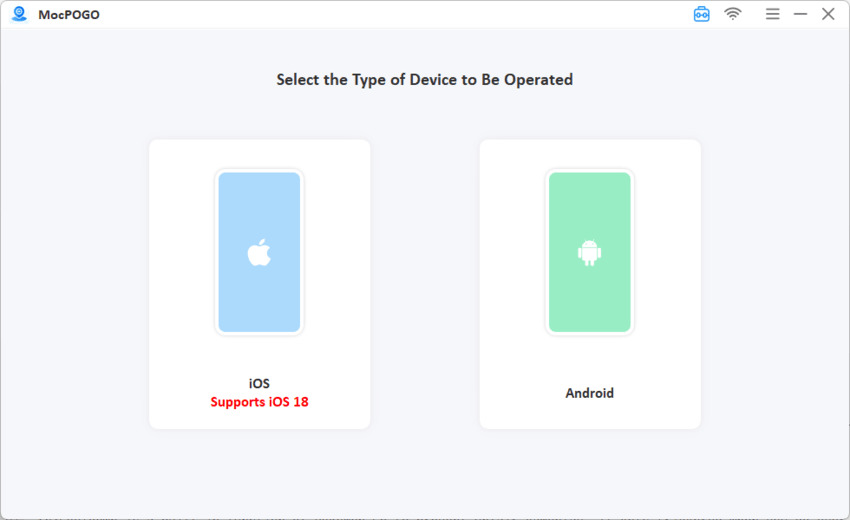
Step 2 Connect your iPhone or Android device to your computer via USB.
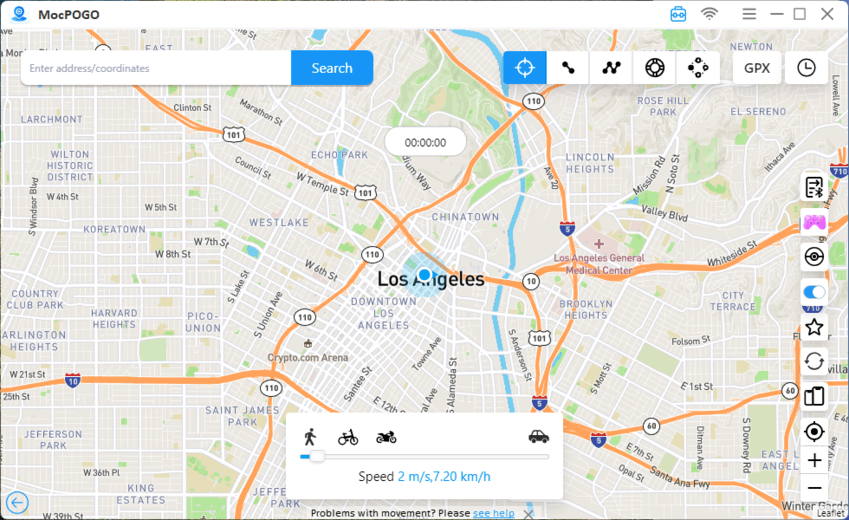
Step 3 Enter an address or choose any location on the map that you want to set.
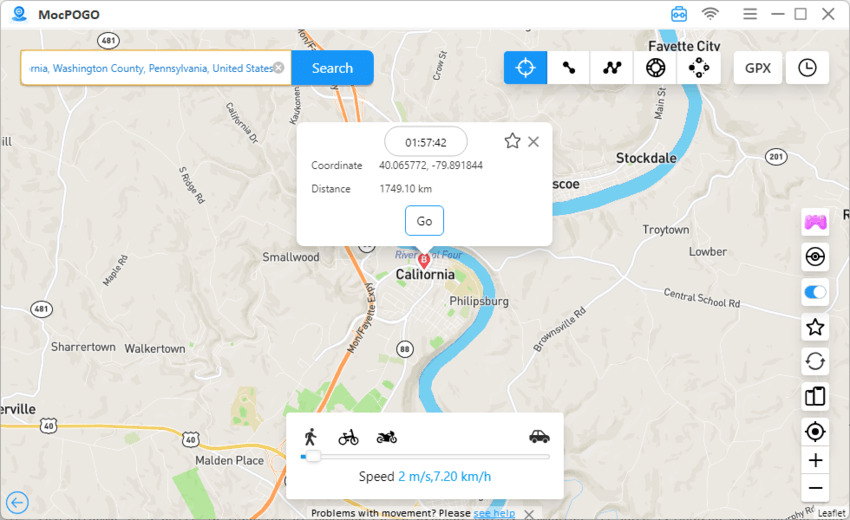
Step 4 Click Go and MocPOGO will instantly change your device’s GPS location.
Step 5 Open Google Maps, you will find your location on Google account is changed.
MocPOGO stands out because it gives you more control without the usual account-level hurdles. It supports route simulation, joystick movement, GPX import, and even multi-device control on supported setups. Most importantly, it is a stronger option when your goal is flexible GPS switching rather than a permanent Google Play country change.
Conclusion
Changing your Google account location is possible, but the best method depends on your goal. If you want an official country change, the Google Play Store on Android and Google Payments on PC can work, though both may involve payment checks and waiting limits.
If you want faster, easier, and more flexible location control, MocPOGO is the stronger option because it lets you change GPS location without long restrictions. That makes it a smart choice for temporary access, privacy, and smoother location changes across devices. It also works without requiring jailbreak or root access, which makes the process easier for everyday users. Try MocPOGO if you want a simpler way to change your location with more flexibility and control.


