


Top 5 Best GPS Emulators That Actually Work – 2026 Review (Pros & Cons)

Tired of missing region-locked content or being stuck in one physical place? A GPS emulator lets you change your GPS coordinates without moving an inch. Whether you’re playing location-based games, testing apps, or protecting your privacy, the right tool makes all the difference.
After extensive testing across mobile and desktop platforms, we’ve identified 5 reliable, safe, and feature-rich tools in 2026.

Part 1. What is a GPS Emulator?
A GPS emulator overrides your device’s real coordinates, making apps display a virtual location. Instead of physically traveling, you can set any location in just a few clicks or taps.
Most people use GPS emulators for playing location-based games like Pokémon GO from home, accessing dating apps in different cities, or protecting their real location from tracking.
Part 2. How Does a GPS Emulator Work?
A GPS emulator never hacks satellite signals. Instead, it operates at the system level by modifying how your device reports location data to apps.
It works on both mobile and desktop platforms by generating a spoofed GPS signal to replace your actual location.
- On Android: you typically enable Developer Options and set the app as your mock location provider.
- On iPhone: most tools require connecting to a computer since iOS restricts direct GPS manipulation.
- On Windows/macOS: desktop GPS emulators simulate virtual GPS signals or virtual serial ports to feed fake location data into games and other software.
The tool intercepts location requests from apps and replaces your custom coordinates. For example, when Pokémon GO checks your position, the emulator shows a spot like Central Park even though you’re actually in your bedroom.
Part 3. Top 5 Best GPS Emulators for 2026
Not all GPS emulators are safe or functional. Many are unstable, outdated, or risky. The best GPS emulators offer one-click teleportation, joystick control, adjustable movement speeds, route simulation (including GPX import), and cooldown timers to avoid detection. They also support all major platforms: iOS, Android, Windows and Mac.
After rigorous testing, we selected these five options for their reliable performance and strong security.
1. MocPOGO
As the best GPS emulator of 2026, MocPOGO stands out with rock-solid stability, full cross-platform support, and all-in-one location spoofing features that other tools simply cannot match. It works smoothly across iOS, Android, Windows, and Mac without requiring jailbreak or root, delivering reliable performance for gaming, privacy protection, and app testing.
- One-click teleport: Type coordinates or search any location on the map, click Go, and your GPS shifts instantly. Jump from Seattle to Tokyo in seconds with no complex setup.
- Realistic movement simulation: Simulate natural walking, cycling, or driving with adjustable speed settings. It creates authentic location behavior to support safe and stable use in location‑based apps.
- 360° joystick control: Full control over your GPS movement in real time. You can freely change direction and speed anytime with a virtual joystick, giving you fully flexible navigation.
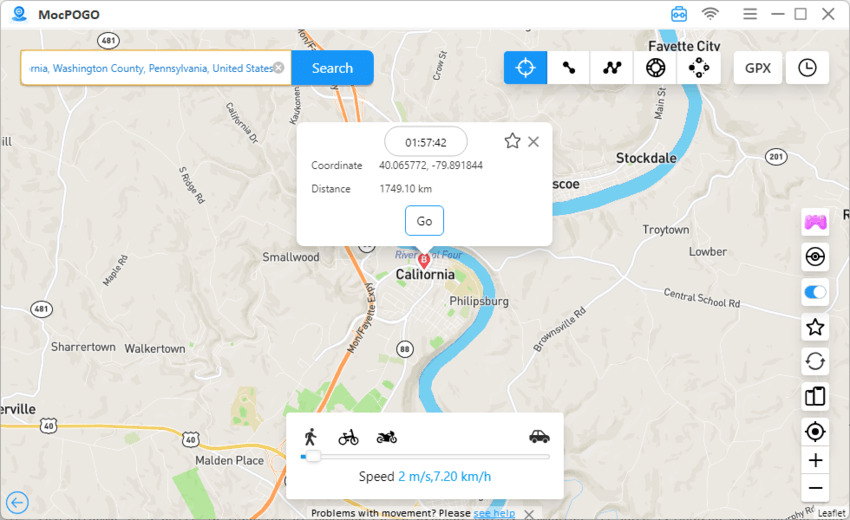
- Smart cooldown & anti-detection: Automatically calculates safe travel times between locations (e.g., 2 hours from New York to London) and displays a built‑in cooldown timer. No more guessing or third‑party calculators – this alone helps avoid soft bans.
- GPX route import: Upload custom paths and replay real GPS tracks with natural speed and pause points.
- POGO Assistant for iOS (April 2026 update): Designed for Pokémon GO players: quick catch, enhanced throw, auto max battle, and IV checking are now built right into the tool. No separate apps needed.

168,282 people have downloaded it.
- Change GPS location on iOS device without jailbreak.
- Change the location of all location-based games/apps.
- Fake location for dating apps—Tinder, Bumble, Hinge, etc.
- Support GPS joystick to play AR game on PC.
- Multi-Device control up to 15 devices.
- Support the latest iOS 26/Android 16.
How to change location with MocPOGO:
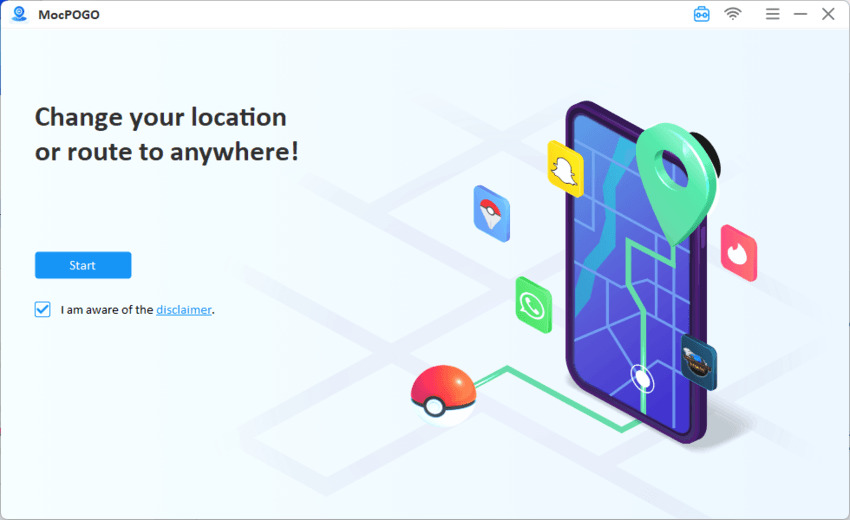
Step 1 Download MocPOGO from the official website and install it on your computer. Open the tool and click on the Start button.
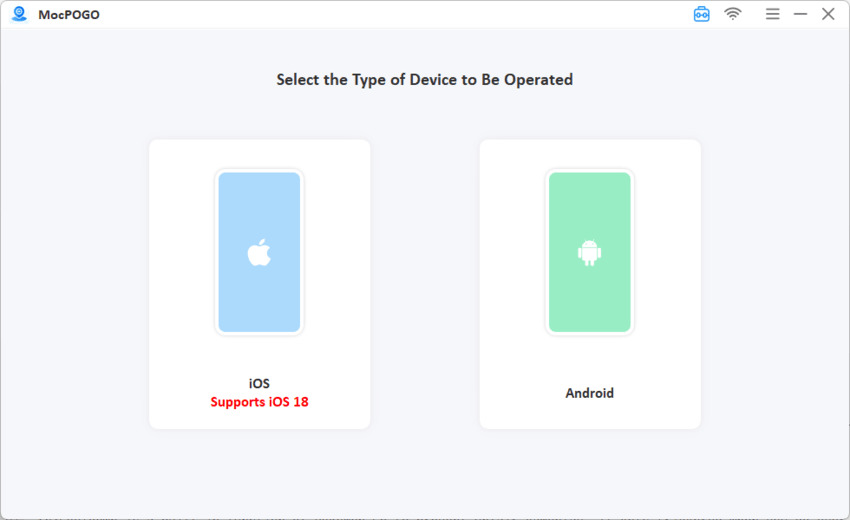
Step 2 Launch MocPOGO. Connect your phone via USB cable and select your device type (iOS or Android).
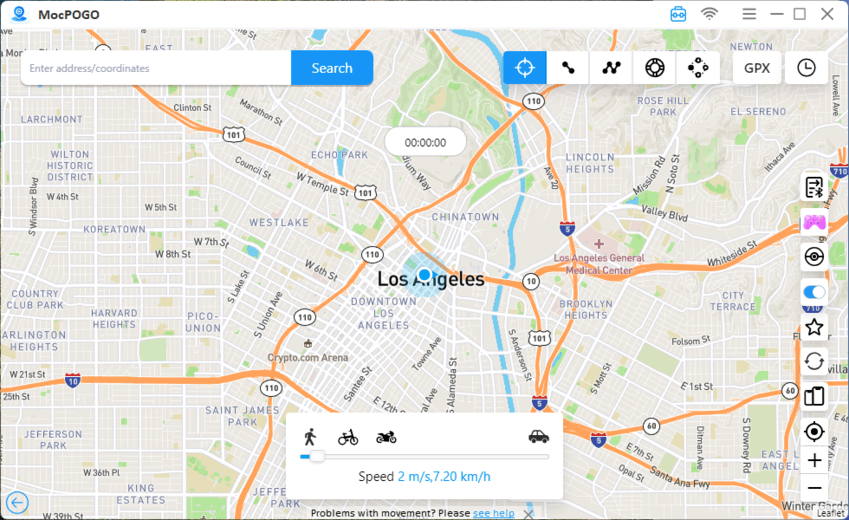
Step 3 Choose Teleport mode. Enter coordinates, search for a location, or click directly on the map.
Step 4 Hit “Go” and your GPS changes immediately.
2. AnyGo
AnyGo is a professional location and movement simulator designed for stable, everyday use. It provides reliable location spoofing with user-friendly operation and full cross-platform support.


- No jailbreak or root required.
- Teleport, two-spot, multi-spot, and joystick control modes.
- Built-in cooldown timer.
- GPX route import.
- Works with iOS, Android, Windows and Mac.

- Requires computer connection for initial setup.
- Full features require a paid subscription.
3. GPS Emulator (RosTeam)
GPS Emulator by RosTeam is a lightweight, no-frills mock location app built for basic daily spoofing needs. It delivers straightforward fake GPS setup with a clean, lightweight design that focuses on simplicity and speed for Android users.

- 100% free with no hidden fees.
- Low battery usage.
- Simple interface with just a few taps.
- No disruptive ads.
- Android-only, no iOS version.
- No joystick, route simulation or GPX import.
- Lacks anti-detection like cooldown timers.
- Easily detected by some apps.
4. Gmocker
Gmocker takes a different approach from traditional mock location solutions by running a unique virtual container structure. It creates a secure and isolated operating environment for location-modified apps, bringing special anti-detection advantages for users who need stronger privacy and compatibility.

- Container design bypasses some anti-cheat systems.
- Multiple location profiles.
- Works with apps that block traditional mock locations.
- Uses extra storage space.
- Higher learning curve.
- May affect performance on older devices.
- Not fully compatible with all apps.
5. Lockito
Lockito is a powerful GPS emulator built for advanced route simulation and long‑term movement tracking. It is specially designed for users who need automated, highly customizable location playback and professional app testing capabilities.

- Supports GPX/KML file import.
- Scheduled location automation.
- Precise speed control (1‑400 km/h).
- Custom altitude and accuracy settings.
- Android only.
- Some features require root.
- Occasional crashes with complex routes.
- Free sessions limited to 30 minutes.
Part 4. FAQs about GPS Emulators
Here are the answers to the top questions users ask about GPS emulators, from detection risks to legal concerns and tool recommendations.
Q1. Can apps detect GPS Emulator?
Yes. Apps check mock location flags in Android’s Developer Options, analyze whether your movement patterns are physically possible, and compare GPS with sensor data, and WiFi networks. Games like Pokémon GO and work apps often use strict detection systems.
Q2. Is using a GPS Emulator legal?
Using a GPS emulator for personal privacy, app testing, or entertainment is legal. However, most apps ban location spoofing in their Terms of Service, which may result in account suspension. Misuse for fraud or illegal activity can lead to legal consequences.
Q3. How do I choose the right GPS emulator for my needs?
If you only need a basic GPS emulator for regular Android use, you can go with GPS Emulator by RosTeam. For Android users who want advanced route automation features, Lockito is an ideal pick. If you use iOS or need cross-platform compatibility, MocPOGO and AnyGo are both solid choices.
For anyone looking for a tool packed with full features, strong safety protection, and reliable anti-detection performance, MocPOGO stands out as the ultimate option.
Your Next Move
The best GPS emulator in 2026 depends on your device system and personal usage goals. For most users, MocPOGO GPS Emulator offers an ideal balanced option with rich functionality, solid stability, and cross-platform coverage.
Ready to take full control of your location? Give MocPOGO a try today.


