


How to Delete Your Pokemon GO Account: Complete 2026 Guide

Thinking about quitting Pokémon GO? Simply deleting the app isn’t enough. Your account data, login details, and gameplay history may still remain linked to Niantic unless you permanently delete the account itself. In this guide, you’ll learn exactly how to delete your Pokémon GO account step by step in 2026.

Part 1. What You Need to Know Before You Delete
Let’s get this straight: deletion is permanent. Once Niantic processes your request, everything vanishes — your shiny Pokémon, items, progress, and even the PokéCoins you bought. All of it. No recovery option exists, even if you change your mind a week later.
Here’s what actually gets erased:
- Every Pokémon you’ve caught
- Your trainer level and XP
- All items and in-game currency
- Raid records, buddy progress, friendship history, battle stats, and any Niantic Wayfarer contribution
Uninstalling the app does nothing. Your game data stays on Niantic’s servers, and your account remains active. To truly remove your data, you must follow the proper deletion process.
Before you proceed, make sure this is what you really want. If you’re just burned out or need a break, consider stepping away for a few months. Your account will be there when you return. But if privacy concerns or data collection bother you, deletion might be the right call.
Part 2. The Official Ways to Permanently Delete Your Pokémon GO Account
Niantic offers two official deletion methods. Both are permanent and require email verification. Choose whichever is more convenient, but remember: once confirmed, there’s no undo.
Method 1: Delete via the Pokémon GO App
This method starts inside the game itself. You’ll need your login credentials and access to the email linked to your account.
- Open Pokémon GO and tap the Poké Ball icon at the bottom center.
- Tap the Settings gear icon in the top right.
- Scroll down and select Advanced Settings.
- Scroll further until you see Delete Account near the bottom, then tap it.

A warning screen appears, reminding you that this action cannot be undone. If you’re certain, tap Continue. Niantic will send a verification email to your registered address. Open it and follow the instructions — you’ll usually need to reply with a confirmation code or phrase.
After confirmation, the deletion process takes several weeks. During this time, your account may still appear active because Niantic reviews requests manually.
Method 2: Delete via Niantic Support Website
Can’t access the app anymore? Lost your phone? Use this web-based method when the in-app option isn’t available.
- Go to the Niantic Help Center (niantic.helpshift.com) and find the contact form.
- Under Issue Category, select Delete My Account.
- Enter the email address and Trainer nickname linked to your account.
- Complete the CAPTCHA verification, then click Submit.

After submission, you won’t see a confirmation message — that’s normal. You’ll be redirected back to the support page. Check your email within a few minutes. Niantic will send a verification message. Reply with the code they provide to finalize your request.
Processing takes several weeks, the same as the in-app method. Niantic won’t send progress updates, so don’t expect status emails. Your account will simply stop working once deletion is complete.
Part 3. Protect Your Privacy Without Deleting Your Pokémon GO Account
Deleting your account is permanent. But what if your main concern isn’t deleting it — it’s constant tracking? You don’t have to choose between losing your progress and being tracked.
That’s where MocPOGO comes in. It’s a GPS location changer that works on Android, iOS, Windows, and Mac, no jailbreak or root required. Instead of feeding Niantic your real location, you decide exactly what they see.
With one click, you can teleport anywhere in the world. Want to catch region‑exclusive Pokémon without flying overseas? Done. Need to join a Tokyo raid from your living room? Easy. MocPOGO even simulates natural walking patterns to keep your movements realistic. And if you manage multiple accounts, you can spoof locations on up to 15 devices simultaneously.
Powerful Features of MocPOGO
- Two-Spot & Multi-Spot Route Simulation
Two-Spot Mode allows you to move between two custom points at a natural speed. Multi-Spot Mode supports multiple points along a path, creating a realistic walking or driving route. - Joystick Control & Route Planning
Take full control with an intuitive joystick for real-time movement. For hands-free play, you can also create custom walking or driving routes, or import GPX files to follow pre-mapped paths. This is perfect for hatching eggs or collecting buddy candy without constant manual input. - Auto Catch
The Go Catcher works like a virtual Pokémon GO Plus+, automatically catching wild Pokémon and spins PokéStops — no extra hardware needed. Just connect and let it handle routine tasks. - POGO Assistant for iOS
Built directly into the tool for Pokémon GO players, features like Quick Catch, Enhanced Throw assistance, Auto Max Battle, and IV Checking eliminate the need for additional apps. - Wide App Compatibility
In addition to Pokémon GO, MocPOGO works with other location-based games (e.g., Monster Hunter Now) and social apps like WhatsApp, Tinder, Snapchat. - Bluetooth Spoofing
You can use Bluetooth mode to change your iPhone’s GPS wirelessly from an Android phone or computer. - Works With the Official Pokémon GO App
No cracked version needed. Just connect and play the original game while still controlling your GPS location.

168,282 people have downloaded it.
- Spoof location safely, no account deletion needed.
- Simulate natural movement to saty under the radar and avoid bans.
- Smart Cooldown Timer for safe teleport.
- GPS joystick control for desktop and mobile: safe gameplay on any device.
- No need to erase your game progress or data.
- Works with the latest iOS /Android versions.
How to Use MocPOGO to Keep Playing Privately
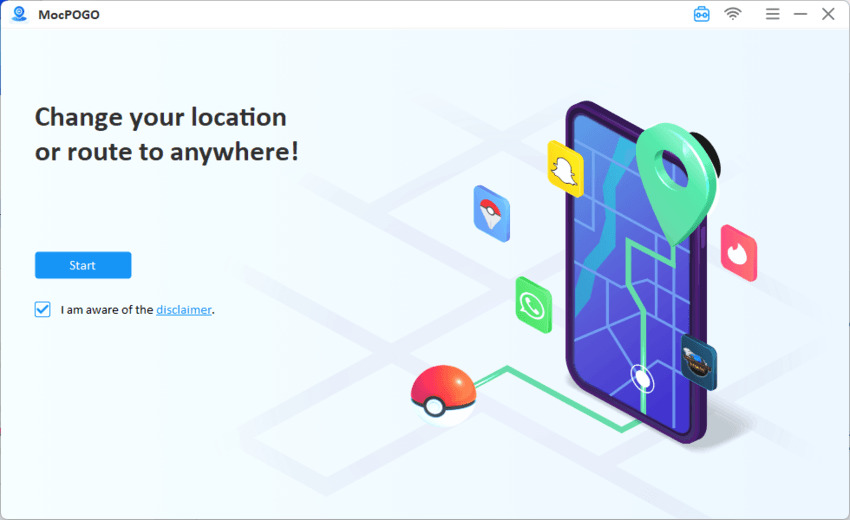
Step 1 Download the latest version of MocPOGO and install it on your computer. Open the tool and click on the Start button.
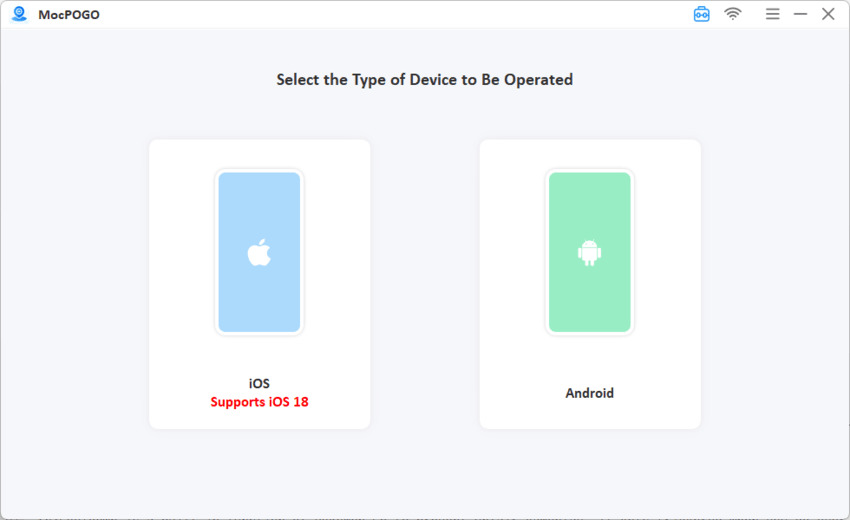
Step 2 Connect your device and then select Android or iOS.
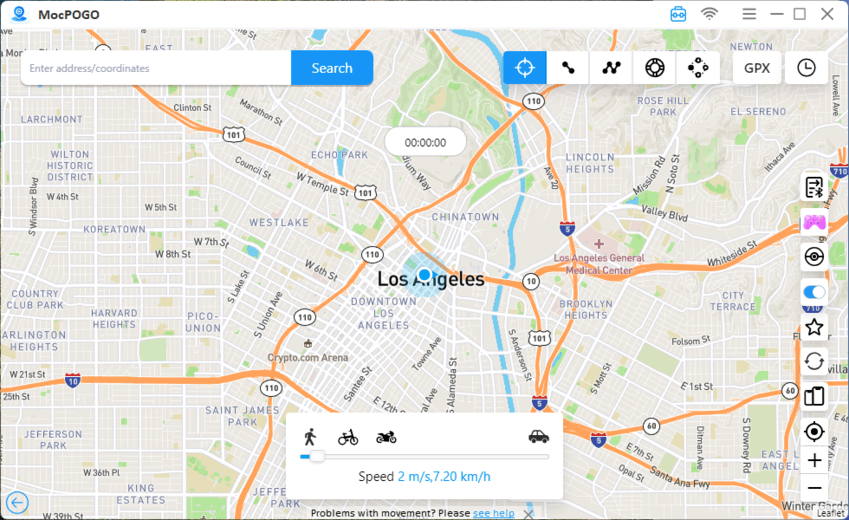
Step 3 Type an address or coordinates into the search bar. You can also click anywhere on the map directly.
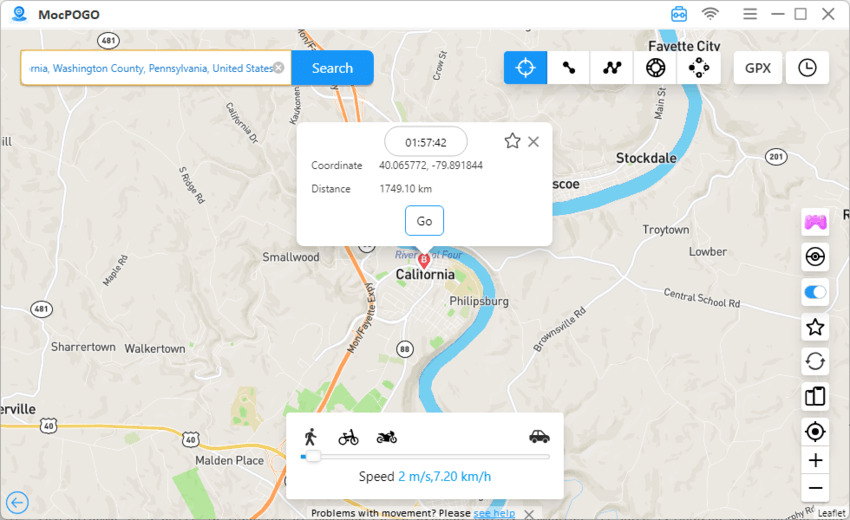
Step 4 Hit the Go button and your GPS position updates instantly.
Step 5 Now open Pokémon GO and the game thinks you’re wherever you just set.
Part 4. How to Avoid Getting Banned from Pokémon Go
To keep your Pokémon GO account safe, following a few basic practices can significantly lower your ban risk (soft ban, shadow ban)— whether you use location tools or not.
1. Respect cooldown times
The farther you teleport, the longer you must wait before interacting with the game. For example, jumping from New York to Tokyo requires at least two hours of cooldown. MocPOGO’s built‑in timer tracks this automatically for you.
2. Avoid modified apps
Tools that inject code or patch Pokémon GO directly carry much higher detection risks than system‑level GPS changers. Stick with OS‑level location spoofing — never modify the game client itself.
3. Simulate natural movement
Don’t teleport across continents every five minutes. Plan realistic routes and stick to realistic speeds. Walking at 100 km/h or jumping countries during a single raid session clearly looks artificial.
4. Never share your account credentials
Third‑party services that promise to level up your account or catch rare Pokémon for you violate Niantic’s terms of service directly. They often lead to permanent bans.
5. Use spoofing tools during off‑peak hours
Performing dozens of actions rapidly during Community Day events increases scrutiny. Spread your activity naturally across different times and locations.
Part 5. FAQs About Deleting Pokémon GO Account
Deleting your account is a big decision. These FAQs will help you understand exactly what happens and what to expect.
Q1. How long does it take to delete a Pokémon GO account?
Niantic says it can take several weeks to process deletion requests. There’s no exact timeline because each request is reviewed manually. Some users report 2–3 weeks; others wait over a month. Once processed, the deletion is immediate and permanent.
Q2. I want to start over. Can I just delete my account?
Yes, but you’ll need a different email address. Niantic does not allow you to reuse the same email or Trainer nickname after deletion.
Q3. What happens to my purchases after I delete my account?
All PokéCoins, items, and anything you bought in the game are deleted along with your account. Niantic does not offer refunds for in‑game purchases when you voluntarily delete your account. Consider this carefully if you’ve spent real money.
Q4. Does an inactive Pokémon GO account get deleted automatically?
No. Niantic does not delete accounts due to inactivity. Your account remains intact indefinitely, even if you don’t log in for years. Termination only happens because of terms of service violations or at your own request through the official deletion process.
Stop Feeding Niantic Your Data
If your main concern isn’t quitting the game — it’s stopping Niantic from tracking your location — MocPOGO offers a better way. You keep playing, keep your progress, and keep your collection, but you control what location data Niantic receives. This isn’t about cheating. It’s about taking back control of your personal information.
The choice is yours: delete everything and walk away, or keep playing on your own terms. Either way, you’re no longer giving Niantic unfettered access to track your every move. If you’ve decided deletion is right for you, the official methods above cover both options completely.


