
How to Change Your Pokémon GO Name: Step-by-Step Walkthrough

Maybe you picked your Pokémon GO username back in 2016 without putting much thought into it. Years later, you’re still stuck with it every time you join raids with friends or co-workers.
The good news is that Niantic does let you change your name, but only once. This guide walks you through the rules, the steps, and what to do if you’ve already used your one chance.

Part 1. How Many Times Can You Change Your Pokémon GO Username?
Before renaming your Trainer, it is helpful to understand how the limit works. Pokémon GO lets you change your nickname once. If you still have your change available, a pencil icon will appear next to your Trainer name in Settings. Once you use it, the icon disappears.
At this point, your only option will be to contact Niantic Support in hopes they will grant you another change. Unlike many mobile games that let you pay for extra name changes, Pokémon GO treats your Trainer name as a long-term identity.
It appears in many places throughout the game, such as in your profile, in the friends list, during raids, and when sending gifts. Since you only get one chance, it’s important to pick a name you won’t regret.
Part 2. How to Change Your Pokémon GO Name?
After you decide which name to use, the change process does not take long (a couple of minutes). Here are the steps involved and what you need to do if you do not find the option available.
- Access the main menu: Press the Poké Ball icon on the map’s screen.
- Navigate to Settings: Tap the gear icon in the top-right corner.
- Look for your nickname: Move to the Account section and click on the pencil icon near your current Trainer name.
- Confirm the change: When the game warns you that you’re using one of your available name changes, confirm that you want to continue.
- Make a new name: Type in the new nickname you want and confirm to set it.

After you’ve used your one name change, the option to edit your Trainer name will be gone forever. Therefore, your only option is to contact Niantic Support via the Help Center. Some players have gotten an extra name change this way. Just know that it may take a while to hear back.
Part 3. Tips for Choosing a Good Pokémon GO Trainer Name
Since you only get one chance, it’s worth pausing before you commit to a new name. A quick check now can save you from regretting your choice later.
- Make sure your name is available: Type your desired name on the rename screen to see if it’s available. If not, try adding a number or changing a letter until it’s accepted.
- Keep it simple: Pokémon GO only allows certain characters in Trainer names. If your first choice doesn’t go through, try a straightforward mix of supported letters and numbers instead.
- Make it easy to remember for friends and raid groups: A good trainer name should be easy to pronounce and remember, so friends and raid groups can find you quickly.
- Reflect your team identity: If you’re proud of your team, consider adding a subtle reference to Team Mystic, Team Valor, or Team Instinct in your Trainer name.
- Think long-term: Remember that you only get one change. Pick a name you’ll still be happy with years from now.
Part 4. Start Fresh: Catch Region-Locked Pokémon under Your New Name
A new name is a great reason to start a fresh adventure. If you want to expand your Pokédex right away, region-locked Pokémon like Farfetch’d, Kangaskhan, and Tauros are fun targets. They normally only spawn in specific parts of the world, but can appear everywhere during special events.
Traveling is one way to find them, but not everyone can do that. MocPOGO, a location changer for Pokémon GO, lets you explore different areas from home, no plane ticket needed.
168,282 people have downloaded it.
- One-click jump to global spawn hotspots to catch region-exclusive Pokémon.
- Simulate GPS movement with custom speeds.
- Change the location of all location-based games/apps.
- No Cracked apps needed for iOS GPS spoofing.
- Multi-device control for up to 15 devices.
- Support the latest iOS 27/Android 17.
MocPOGO Features for Your New Adventure
- ✓One-Click Teleport to Regional Pokémon Hotspots: Jump straight to a new coordinate and start catching without any actual travel.
- ✓Simulate Walking at Customizable Speeds: Move through an area at a speed you set, useful for hatching eggs or triggering buddy candy.
- ✓Auto-Catch Pokémon While You Explore: Let the tool catch Pokémon automatically as you move through an area.
- ✓Scan Nearby Pokémon and Raids: See what’s spawning and which raids are active in a location before you teleport there.
- ✓Joystick for Free Movement: Move around a map manually in any direction, which is handy for exploring a hotspot in detail.
How to Start Exploring with MocPOGO after Renaming
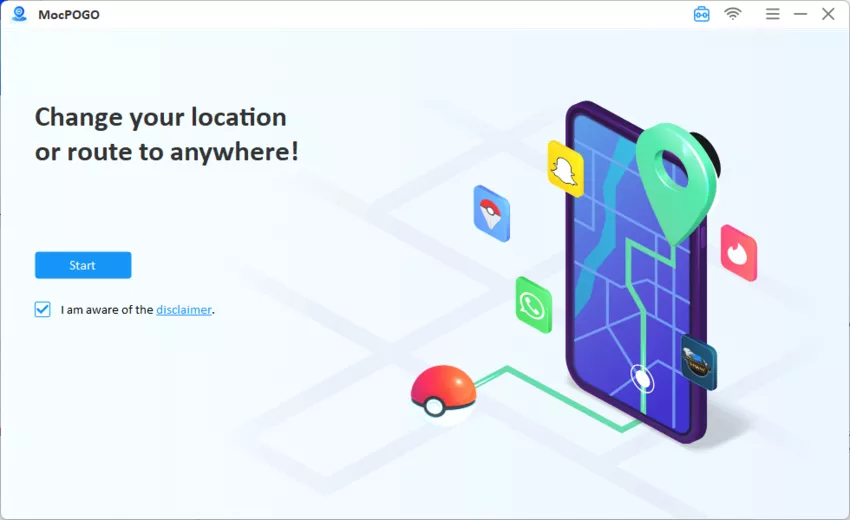
Step 1 Download and install MocPOGO on your Windows PC or Mac from the official site.
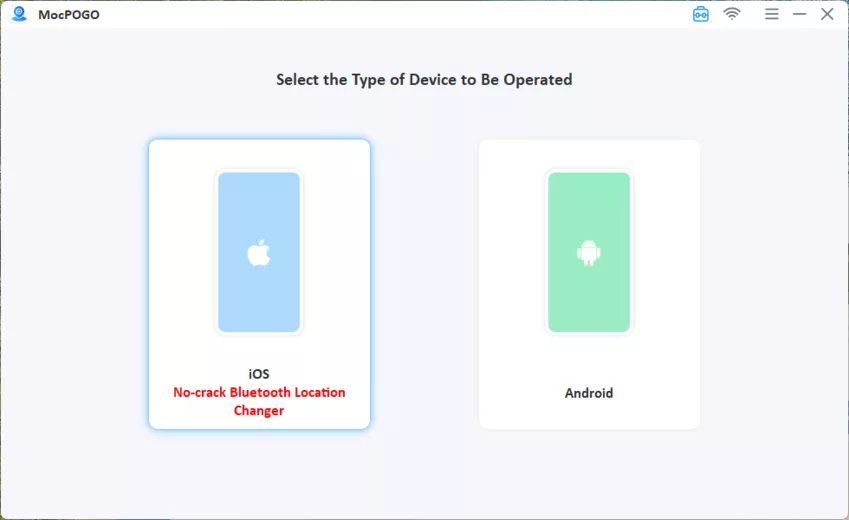
Step 2 Connect your device and then select iOS or Android.
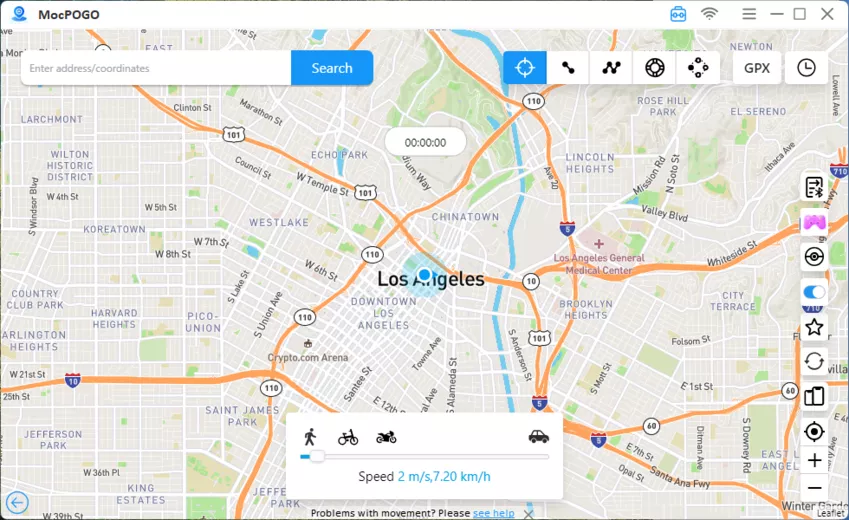
Step 3 Enter the coordinates of any regional Pokémon hotspot.
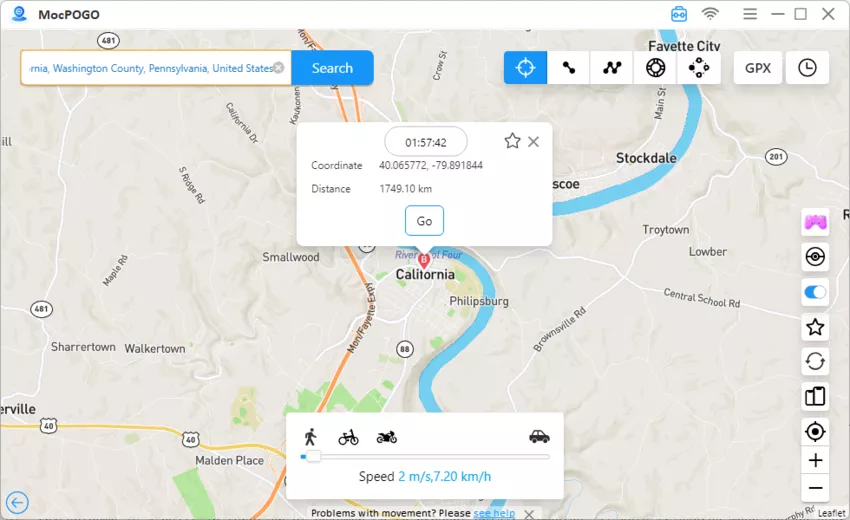
Step 4 Click Go to head straight there. Switch back to Pokémon GO. Your avatar will be standing in the new location, ready to catch region-locked Pokémon.
Part 5. FAQs about Changing Pokémon GO Name
A few more questions tend to come up once trainers start thinking about renaming.
Q1. Can I change my Trainer name back to the original?
Yes, but only if you still have a name change available. If you’ve already used your one change, you’ll need to contact Niantic Support for help.
Q2. Will my friends be notified when I change my name?
No. Niantic doesn’t send a notification, though your new name will appear the next time your friends view your profile or receive a gift from you.
Q3. Can I use special characters or emojis in my trainer name?
No. Trainer names are limited to standard letters and numbers, so emojis and most symbols won’t be accepted.
Q4. What if my desired name is already taken?
If the name you want is already taken, Pokémon GO will prompt you to pick a different one. Try adding a number or making a small change until you find one that’s available.
Conclusion
Changing your Pokémon GO name is easy, but you only get one shot at it. Take your time, pick a name you’ll be happy with long-term, and make it count. Once you’ve got your new name, MocPOGO can help you explore new regions and catch Pokémon you wouldn’t find nearby. Try MocPOGO today and start your next adventure!