


3 Excellent Methods to Fake Yik Yak GPS Location on iOS & Android

 MocPOGO
MocPOGO is the best location changer to fake YikYak GPS on iOS & Android devices in one click.
Want to explore Yik Yak from anywhere without leaving home? You can easily fake Yik Yak gps on iPhone and Android to post, browse, and interact freely. This guide is going to demonstrate the most effective ways to spoof your GPS safely and to unrestricted use of Yik Yak.

Part 1. What Should You Know Before Faking Yik Yak GPS
1. What Is Yik Yak?
Yik Yak is a location-based, anonymous software that allows users to share brief messages known as “yaks.” Only posts from people within a certain radius, typically 1.5 mile,s are visible to you. The app features two primary feeds: Hot, which displays the most popular postings from the previous day, and New, which displays the most recent posts.
2. How Does Yik Yak Location Work?
Yik Yak relies on your phone’s GPS to show posts from nearby users. When you post, it tags your message with a general location but doesn’t reveal your exact spot. The app doesn’t store your location once you close it or turn off location access.
It is very simple to manage location permissions, on iPhone it is done via Settings > Privacy > Location Services, and on Android via Settings > Location. You thus get to decide which applications may access your location.
3. Can You Fake Yik Yak GPS Location?
Yes, you can. If you use a GPS-changing application, you can set your phone to be in any location you want. This way, you can see posts from other cities, check out different communities, or move around silently from a different place. Although Yik Yak is now limited to iOS, location changers let you simulate your GPS while staying still on other devices.

Part 2. 3 Easy Methods to Fake Yik Yak GPS Location on iOS & Android
Method 1: Use MocPOGO Location Changer
MocPOGO is a powerful and reliable GPS location changer for both iPhone and Android devices. It lets you spoof your location on apps like Yik Yak, Facebook marketplace, Line, Grindr and other social media platforms, or location-based games without moving physically. The tool is safe, user-friendly, and supports multiple devices at the same time.
168,282 people have downloaded it.
- Instantly YikYak GPS location on your device without jailbreak or root.
- Safely YikYak GPS without detection and anyone knowing.
- Support to change location on all location-based games or apps, like Pokemon Go, Monster Hunter Now, Life360, Happn and Skout, etc.
- Work with almost all iPhone versions and different brands of Android devices, like iPhone 17 and Samsung.
- Support latest versions, including iOS 26 and Android 16.
Steps to Fake Yik Yak Location on iOS and Android Devices Using MocPOGO
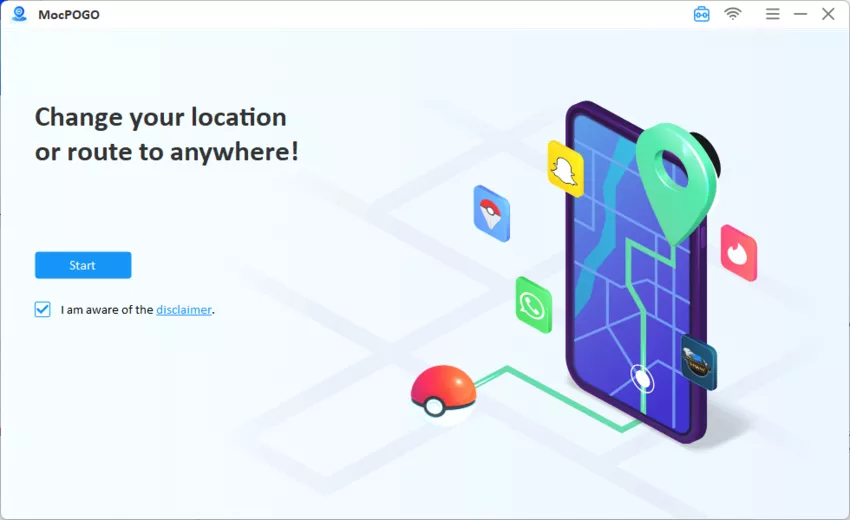
Step 1 Go to the MocPOGO and download the software for Windows or Mac. Install it, create an account, and open the program. Click Start to connect your device.
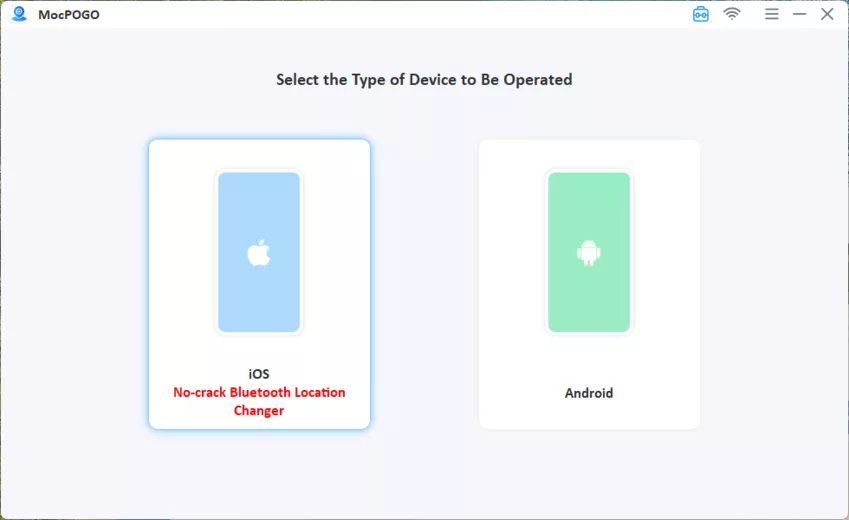
Step 2 Connect your phone to the computer using a USB cable or Wi-Fi. If you are using a Mac, enter your computer password to trust the connected iOS device.
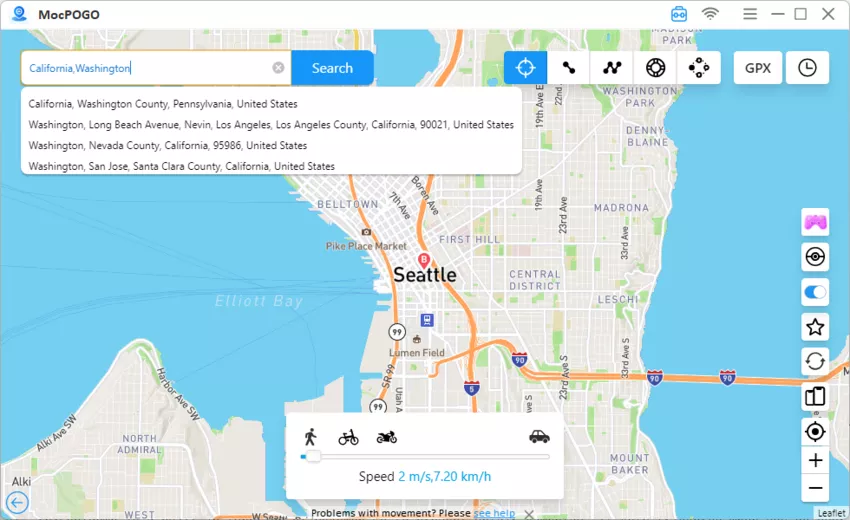
Step 3 Press the Teleport Mode icon to determine your current GPS location. Feed the location name or coordinates into the search field and hit Search.
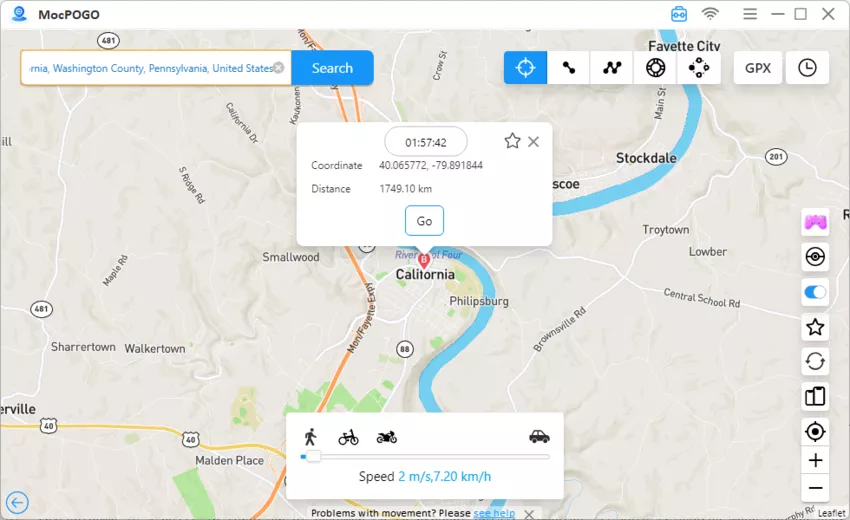
Step 4 Choose the location from the results and click Go. Your phone’s GPS will instantly update to the new location.
MocPOGO User Experiences
- ✓ Ease of use : Several users reported that once set up, MocPOGO works smoothly for faking GPS locations on both iOS and Android. Teleporting to different locations is quick, and the tethered option (connecting via computer) allows safe spoofing.
- ✓ No Jailbreak Needed (iOS): iPhone users like that they can spoof without jailbreaking, which reduces risk of system instability.
- ✓ Customer Support: Some users praised MocPOGO’s responsiveness, stating they received timely updates and emails about known issues.
- ✓ Safe for Android: Android users confirmed that rooted devices work well with MocPOGO and can spoof reliably.
Note:
Please also feel free to download MocPOGO iOS and Android app to change Yik Yak location to anywhere.
Method 2: Use iTools Virtual Location – iOS Supported
Changing your Yik Yak location on an iPhone without jailbreaking is simple and secure using iTools Virtual Location. It gives you complete control over how your device’s location looks by enabling you to accurately set any place.
Main Features of iTools Virtual Location:
- ■ Teleport instantly to any location worldwide on iOS devices.
- ■ Input location by coordinates or name for precise spoofing.
- ■ Support iOS devices without the need for jailbreak.
- ■ Work with apps like Yik Yak, Pokémon GO, social media apps, and others.
- ■ Offer a simple interface for first-time users.
How to Spoof in Pokemon Go to Catch Pokemons for Trading on iOS & Android Devices by MocPOGO
Step 1 Download iTools Virtual Location from the official iTools website.
Step 2 Open iTools on your computer and connect your iPhone with a USB cable. Make sure your device is trusted by the PC.
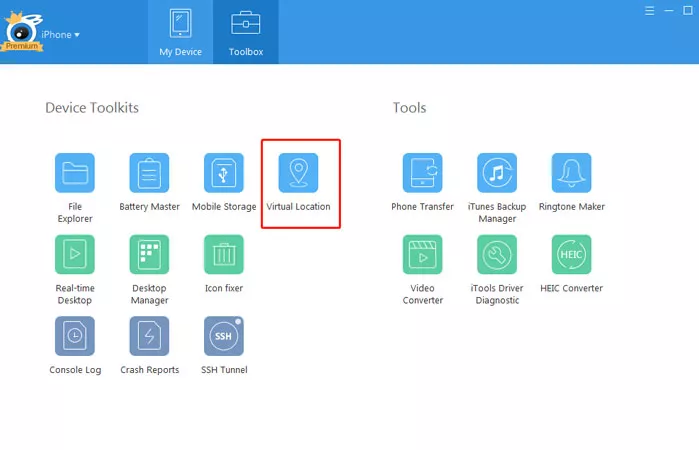
Step 3 In iTools, go to Device Toolkits and click on Virtual Location.
Step 4 Enter the location name or GPS coordinates in the search bar, select the location you want, and click Move here.

Step 5 Open Yik Yak on your iPhone, and it will now show your new location.
Note:
- ⚠ iTools Virtual Location requires a computer; it cannot change location directly from the phone.
- ⚠ Some applications might identify spoofing if they are a long time in use or very frequently used.
- ⚠ New iOS versions need to be installed on devices to allow for compatibility; connection problems might be experienced by users with old iOS versions.
- ⚠ You cannot use other location-based apps simultaneously, as it may reset the spoofed location.
Method 3: Use Fake GPS Location by Lexa – Android Supported
For Android users, Fake GPS Location by Lexa is a reliable and easy-to-use app to change Yik Yak location instantly. It allows you to mock your device’s GPS location to anywhere in the world, giving you full control over location-based apps.
Main Features of Fake GPS Location Lexa:
- ■ Teleportation to any place with just one click.
- ■ Locating places by their names or GPS coordinates.
- ■ Compatible with all Android applications, Yik Yak, Snapchat, Pokémon GO, and others.
- ■ Simple to activate and to switch locations frequently.
- ■ Lightweight app with minimal impact on device performance.
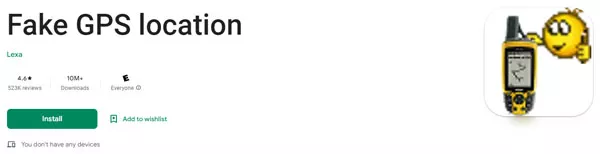
Step 1 Go to the Google Play Store and search for “Fake GPS Location Lexa”. Download and install the app.
Step 2 Enable Developer options on your device:
Step 3 Open Developer options > Select the mock location app, and pick Fake GPS Location Lexa.
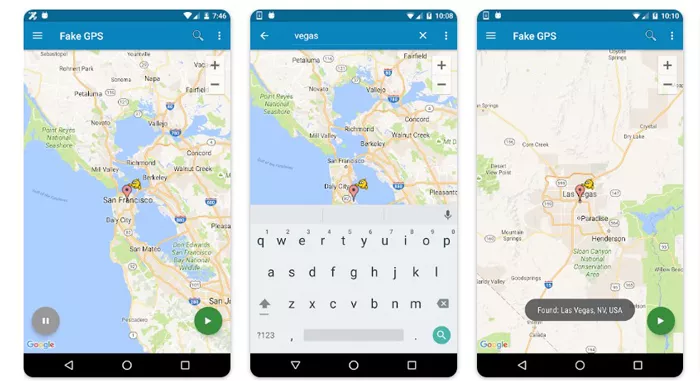
Step 4 Open the Lexa app, search the location you want in the search bar, and click on Start. This location will be reported to all apps on your device.
Step 6 Launch Yik Yak and have fun using the app as if you were in your new location.
Note:
- ⚠ Some apps may detect mock locations if used extensively, which can risk account suspension.
- ⚠ GPS spoofing can lead to problems with navigation apps or ride-sharing apps if both are running at the same time.
- ⚠ Full functionality might not be available due to additional permission requests for Android 12 and above.
Part 3. Related Questions about Changing Yik Yak Location
Q1: Can a VPN fake Yik Yak GPS?
No. While VPNs make an IP address invisible, phone’s actual location via GPS remains the same. Yik Yak is dependent on the actual user’s location, so without GPS changing tool, only VPN won’t help you. The only way is to use a proper tool for GPS spoofing to alter your location in the app.
Also Read: 5 Best & Free VPN Location Changers to Change IP Address/Location
Q2: Can someone know if I fake Yik Yak GPS?
No. Other users can’t directly tell if you are using a fake location unless you post something that doesn’t match the area. Otherwise, your spoofed location appears normal.
Q3: Is Yik Yak not geofenced?
Yik Yak uses strict geofencing to show posts based on your exact area. You only see content within a limited range around your GPS location.
Q4: Can you get banned from Yik Yak for faking GPS?
It’s possible if you use risky or unstable tools. To stay safe, use a reliable and secure location changer like MocPOGO.
Summary
In conclusion, if you want to fake YikYak GPS safely and reliably, MocPOGO remains the top choice. Its easy-to-use Teleport Mode, stable performance, and responsive support make location spoofing simple and secure. For anyone looking to change Yik Yak location without risks, MocPOGO is highly recommended.


