


2026 How to Change Zenly Location in 5 Tested Methods

 MocPOGO
MocPOGO is the best location changer to change Zenly location on iOS & Android.
Knowing about the whereabouts of your near and dear ones definitely gives relief, but at the same time hampers privacy. So, if you want to keep your location private, give a surprise visit to a loved one, or play a prank, changing your location on Zenly will help. In this topic, we will help you know 5 best methods about how to change Zenly location.

Part 1. What Should You Know about Zenly Location
What is Zenly
Founded in 2011, Zenly is a tracking application that comes along with an array of social networking and other additional features. Using the app, real-time location can be shared on a map. Also working as a social networking app, Zenly facilitates messaging and also shows shared memories.
The app was acquired by Snap Inc. in 2017, and it was shut down in 2023. So, the Zenly app is no longer available for download through its official site, but if you are keen to use the app, its APK file can be downloaded from third-party sites.
How Does Zenly Location Work?
The real-time location on Zenly is tracked using the GPS of the device. The location tracking of the app runs in the background, and the detected location is then updated on the interactive map of the device.

Part 2. How to Change Zenly Location on iOS & Android in 5 Easy Methods
Method 1. Use MocPOGO Location Changer- Safe & Easy
The best and most reliable solution for changing location on Zenly is through the MocPOGO Location Changer, which works on both Android and iOS devices. This spoofing tool helps teleport to any desired location on Zenly in one click. And almost all iPhone and Android devices are supported, like iPhone 17, Samsung and Huawei, etc.
168,282 people have downloaded it.
- Instantly change Zenly location on your phone without jailbreak or root.
- Easily change location on Zenly without app detection.
- Change GPS location of all location-based games/apps, like Monster Hunter Now, Walking Dead Our World, Yik Yak and Viber, etc.
- Work with the latest versions, including iOS 26 and Android 16.
How to Change Zenly Location on iOS & Android by MocPOGO
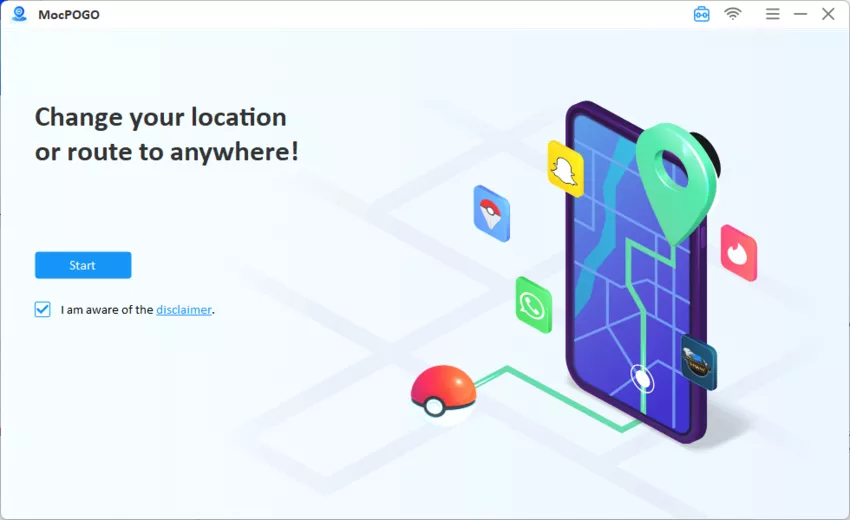
Step 1 From the official MocPOGO website, download, install, and then launch the app to start.
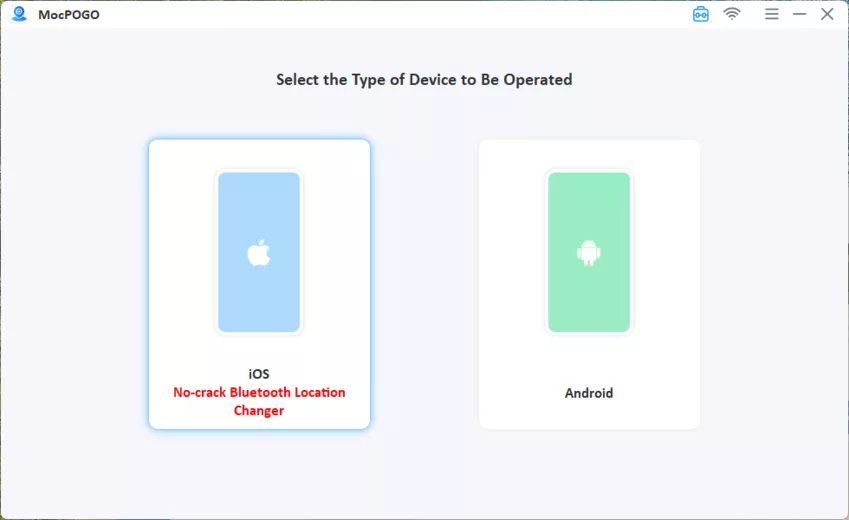
Step 2 Use a cable or via Wi-Fi, connect the Android or iOS device to the system.
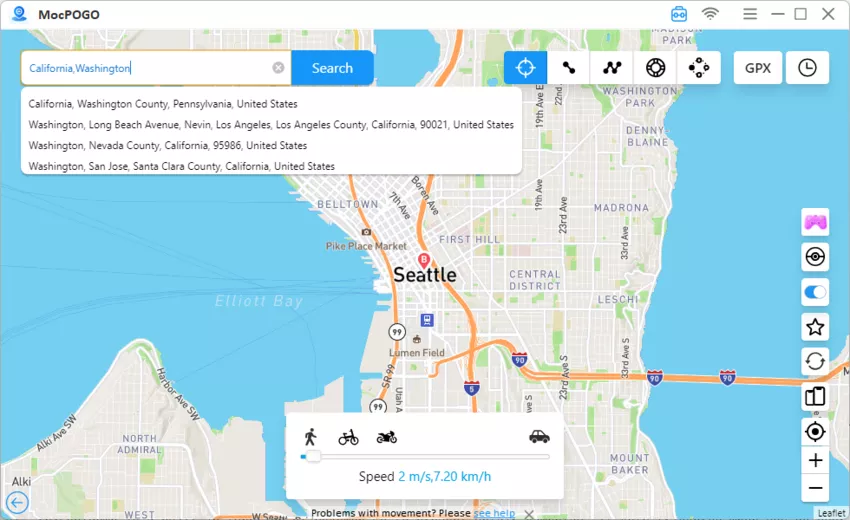
Step 3 Tap on the Teleport Mode icon to check for the current location. In the search box, enter the coordinates of the desired location or its name and click on the Search button.
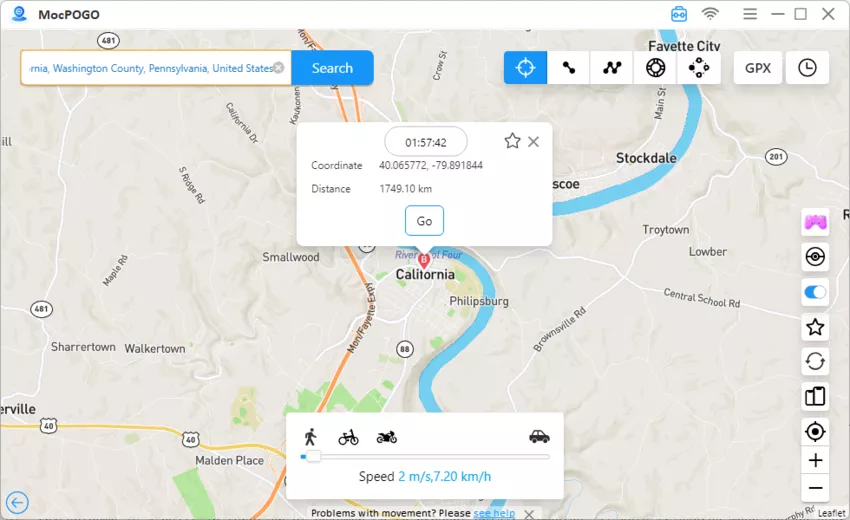
Step 4 Once the location appears, select it and click on the Go button. Just in seconds, the location on your device, including Zenly location has been changed to your target location.
Advantages of Using the MocPOGO Location Changer
- ✓ Simple and user-friendly interface.
- ✓ One-click location changing.
- ✓ No jailbreak or rooting needed.
- ✓ Support for the latest OS versions, including iOS 26 and Android 16.
- ✓ Safe location changing without being detected.
Note:
You can also feel free to download MocPOGO iOS or Android version app to change location on Zenly directly.
Method 2. Use Ghost Mode – Official
Keeping in mind the privacy of the users, Zenly introduced a built-in privacy feature called Ghost Mode. In this mode, the user can keep their real-time location hidden from their contacts without completely disappearing. The mode comes with 3 key options:
- ■ Precise : The exact real-time location is shared.
- ■ Blurred: Instead of the real-time location, this mode reflects some random nearby area within 10 to 1.2 km away.
- ■ Frozen: The real-time location is completely kept hidden. Steps to enable Ghost Mode.
How to Use Ghost Mode to Change Zenly Location
Step 1 On your device, launch the Zenly app and go to your profile or settings from the ghost icon at the top right corner.

Step 2 Next, you can choose all contacts by clicking on Select All or choose the list of friends for whom you wish to activate the mode.
Step 3 Choose from the Blurred or Frozen option as desired.
Note:
When you choose the blurred option, the friends will know that you have hidden your real location, while in the case of frozen mode, the last known location before activation of this mode is shown, and it seems to the friends that there is no signal or the device is switched off.
Method 3. Use Hola- iOS & Android
Hola is a VPN app available for Android and iOS devices. Using the app, geo-restrictions can be bypassed, and thus location changing can be done for Zenly as well as other tools and apps. The IP-based locations can be mimicked and changed using the app.

How to Change Zenly Location Using Hola on Android
Step 1 On your Android devices, download and install the Hola app from the Play Store or from a reliable APK.
Step 2 Move to the Settings of the device and then disable the Location Services.
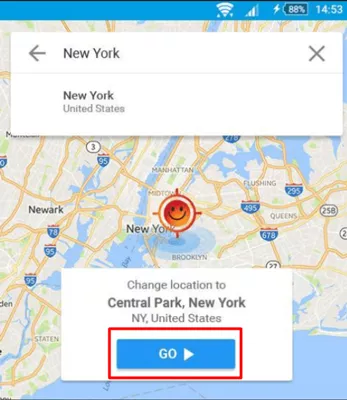
Step 3 Launch Hola and select any spoof location using the map or the search box. Click Go. The option for spoofing your Zenly location will be changed.
How to Change Zenly Location Using Hola on iOS
Step 1 On your iOS device, download and install the Hola app from the App Store.
Step 2 Next, on your iPhone, turn off the location services.
Step 3 Next, on the Hola app, change the location using the VPN server, and your Zenly location will change to the spoof location connected.
Method 4. Use Cydia – iOS Supported & Jailbreak Required
The apps that are officially not available for download on iOS devices, Cydia is the interface that facilitates downloading these third-party apps. Cydia works on jailbroken iOS devices, and to change location on Zenly, spoofing tweaks on Cydia like Location Faker, Relocate Reborn, and others can be used.
How to Change Zenly Location Using Cydia
Step 1 Start by first downloading a tweak or a spoofing app from Cydia on your iOS device.

Step 2 Launch the installed app and select the desired location or its pin.

Step 3 After the spoofed location is enabled, it will be set as your new location on Zenly.

Method 5. Use Fake GPS Location by Lexa – Android
Fake GPS Location by Lexa is an Android app that facilitates teleporting the device location to any place in the world. The app allows users to choose a location on the map or search for the desired one. Also, the saved favourite locations can be selected as the spoof location for the device. The Developer mode needs to be enabled for the app to set a spoof location.
How to Change Zenly Location Using Fake GPS Location by Lexa
Step 1 On your Android phone, start by enabling the Developer Options.
Step 2 In the phone Settings, go to Developer Options and then choose Allow mock locations or select the mock location app.

Step 3 Choose Fake GPS Location by Lexa as the app for setting the mock location.
Step 4 Launch the Fake GPS Location app and then select the desired location on the map.
Step 5 Click on the Play/Start button to activate the fake location.

Warnings of Zenly Location Changing
Before you change and set a spoof location on Zenly, it is important to know the warnings associated with the same.
- ⚠ There is always a risk of getting detected.
- ⚠ A lot of times, the spoofing apps and tools may not work as they are not a built-in feature.
- ⚠ In case of emergency situations, spoofing location might not let your dear ones know of your real location.
- ⚠ With a change in the location, the real weather situations will not be shown, and also, there are chances of having problems with checking into the hotel and other setups.
Part 3. FAQs about How to Change Location on Zenly
Q1: Is it safe to use a location spoofer to change your Zenly location?
Location spoofing to change location is safe if a reliable tool like MocPOGO is used.
Q2: Will I get detected when I use a location spoofer on Zenly?
If a safe and reliable tool with advanced features like MocPOGO is used, the chances of getting detected are very low.
Q3: How does Zenly’s live location sharing work?
The live location sharing of Zenly allows the user to share their real-time location with their friends and family on an interactive map. The location sharing works by using the GPS of the device.
Q4: How did Zenly show your friend’s location?
The location of your friends on Zenly is shown on a map with the exact current position. As the app is launched on your device, all your friends’ locations will appear on a large map with their customized avatars or their pictures.
Summary
When it comes to changing location on Zenly, MocPOGO is the best available tool. This location changer can work seamlessly on your Android as well as iOS devices and changes the location in just a single click. Also, the tool does not require you to jailbreak or root the device and works on all the latest OS versions.


