


5 Smart Methods to Change Android Location without Root

 MocPOGO
MocPOGO is the best location changer to change Android location without root.
Changing your GPS can unlock fun features in apps and games. In this guide, we show 5 simple ways to change android location without root, helping you spoof your location safely, access region-restricted content, and enjoy apps like Pokémon Go or social platforms without technical complications.

Part 1. Why Do People Like Changing Android Location
Many Android users want to change Android location without root because it makes their device more flexible and useful. Here are some reasons:
- ■ Access region-restricted apps and content: Enjoy applications, games, or videos that are restricted to a specific geographical area.
- ■ Location-based gaming: Play Pokémon Go and catch rare Pokémon or join and complete events without going outside.
- ■ Privacy protection: Prevent any tracking of your actual location by the apps.
- ■ Test apps or services: Apps or services should be tested to see how they perform in different places.
- ■ Use local services remotely: Get location-specific deals, content, or features from anywhere.
Also Read: A Full Guide about Android Location Settings
Part 2. 5 Effective Methods to Change Android Location without Root
1. Use MocPOGO Location Changer
One of the easiest ways to change Android location without root is by using the MocPOGO Location Changer. It’s very easy to send your Android device anywhere you want virtually. The app is compatible with the latest Android 16 and also supports a number of games such as Pokémon Go, MHN, and DQWalk, etc.
User praise MocPOGO for being user-friendly, reliable, and safe, with no risk of bans for games. The app is free to try, giving you a chance to test its features before fully committing.
168,282 people have downloaded it.
- Instantly change/fake Android location in one click without root.
- Safely change location on Android devices without detection or anyone knowing.
- Support most Android brands and the latest versions, like Samsung, Google Pixel, Xiaomi and Android 16.
- Change GPS location of all location-based games/apps, like Yik Yak and Viber and Zenly, etc.
- Also support to change iPhone location without jailbreak, including the latest iPhone 17 and iOS 26.
How to Change Android Location without Root by MocPOGO
Step 1 Get the MocPOGO APK file, and run the app and find out where you are on the map.

Step 2 Type in the place where you want to go in the search box and hit Search.

Step 3 Click on Teleport to be magically transported to the chosen spot. Just in seconds, your location on Android is changed to the target location. And all location-based apps are also changed on your device.

You can also use MocPOGO iOS app to change iPhone location quickly.
General Reviews of MocPOGO
Official reviews highlight MocPOGO’s ease and speed in changing location, noting it works on various apps and games. A number of users chatting in comments say the interface is straightforward and that the teleportation function is quick.
Nevertheless, the reviews on Google Play are mixed; some users complain about glitches while others find it easy to use and effective for beginners.
Note:
You can also feel free to download MocPOGO Windows or Mac version to change location on Android devices directly.
2. Use Fake GPS Location Spoofer
Fake GPS Location Spoofer is a well‑known Android app that lets you set a fake location easily. It’s free to download and works by inserting a fake GPS signal directly into the system once you enable mock locations in Developer Options.
How to Change Android Location without Root by Fake GPS Location Spoofer
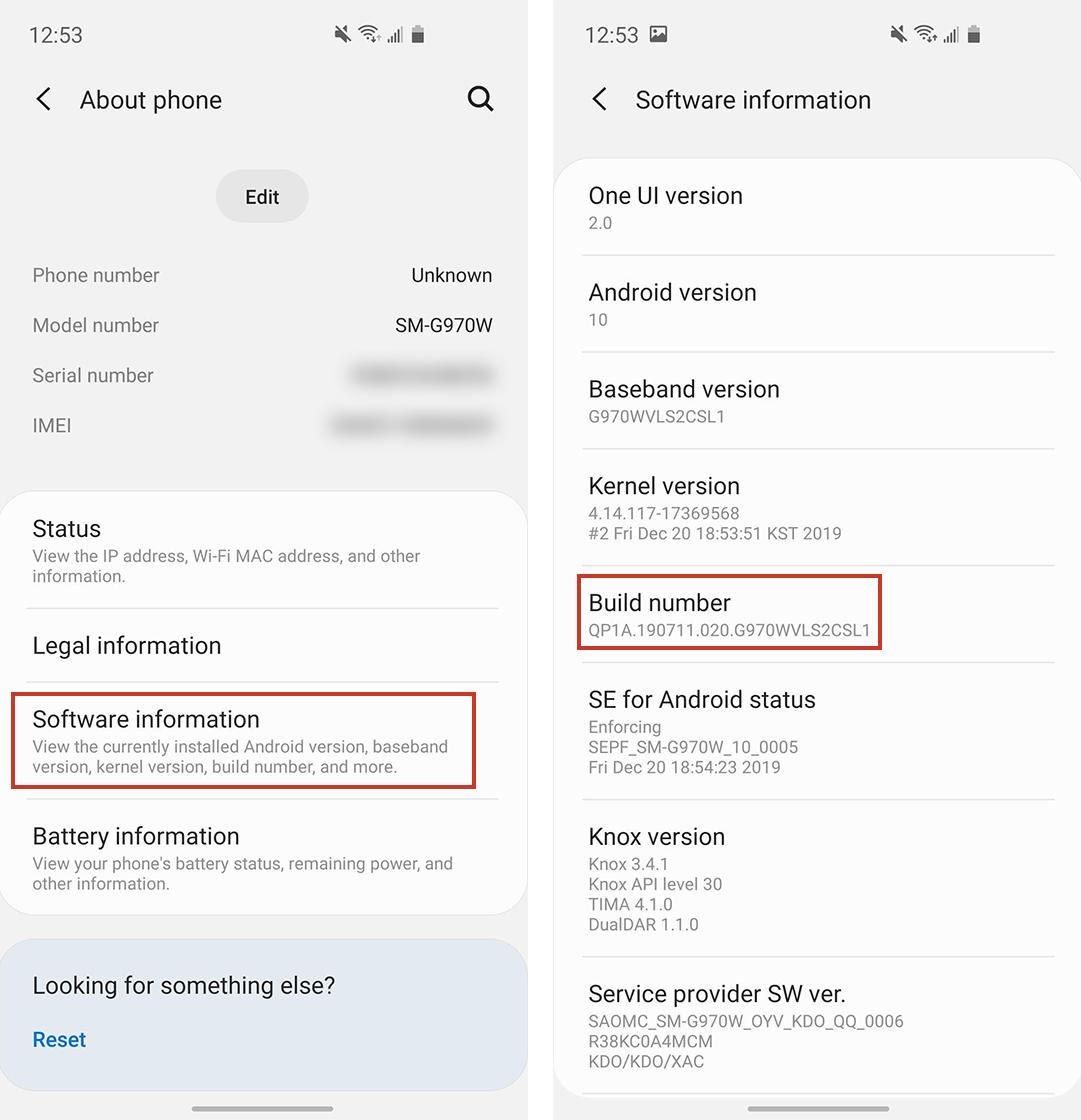
Step 1 Turn on Developer Options on your Android phone (tap Build Number 7 times in Settings).
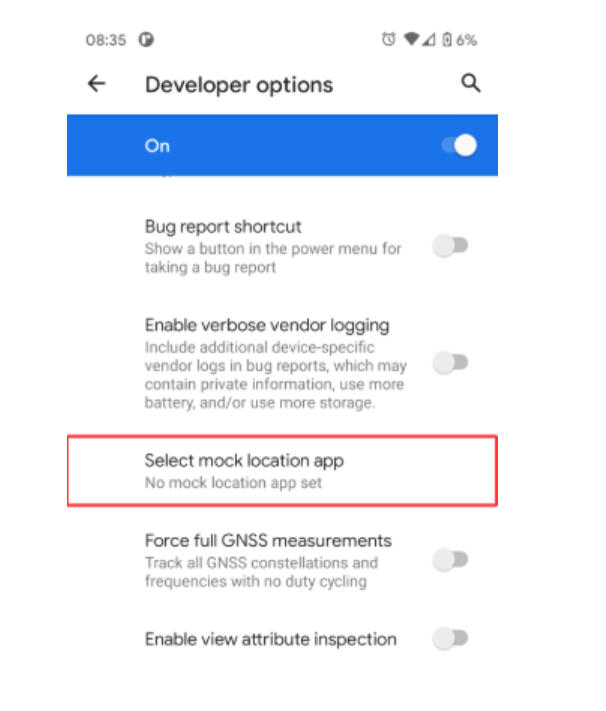
Step 2 Go to Developer Options and choose Allow mock locations app.
Step 3 Get Fake GPS Location Spoofer from Google Play.

Step 4 Launch the app, select a point on the map, and hit Play to start the spoofing process.

General Reviews of Fake GPS Location Spoofer
Users like that the app’s UI is clean and easy to use, with a big start button and clear map view. Many say it makes simple spoofing very straightforward.
But users some users report that games and apps (like Pokémon Go) occasionally detect it and snap back to the real GPS, especially in newer Android versions.
Note:
While the free version works for basic spoofing, some advanced features like route creation or joystick controls may require in‑app purchases.
3. Use Hola Fake GPS App
Hola Fake GPS is another free Android tool that lets you spoof your location fast. It’s straightforward: choose a place on the map, and the app makes your device show that spot instead of your real GPS.
How to Change Android Location without Root by Hola Fake GPS App
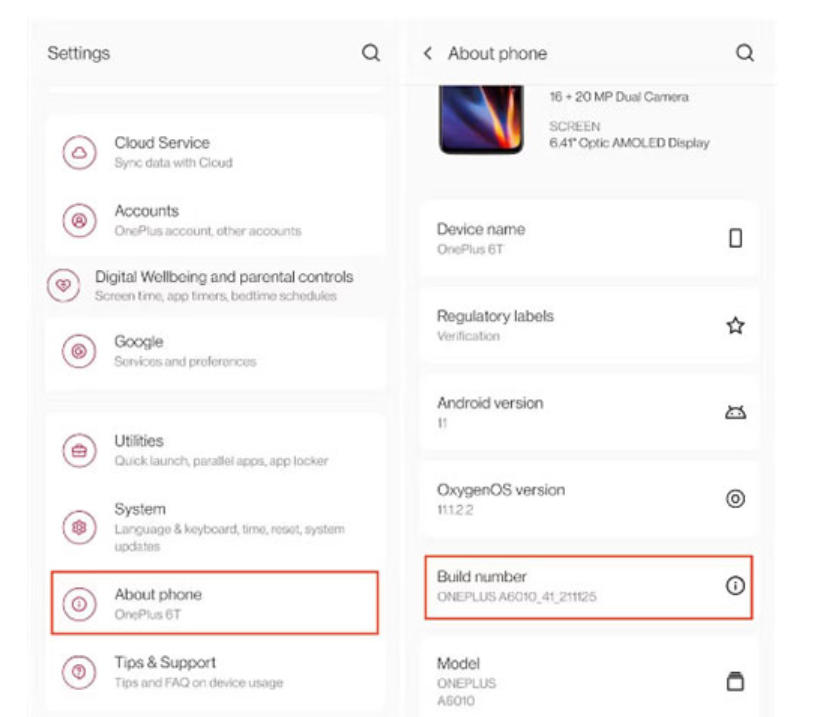
Step 1 Turn on Developer Options and enable mock locations.
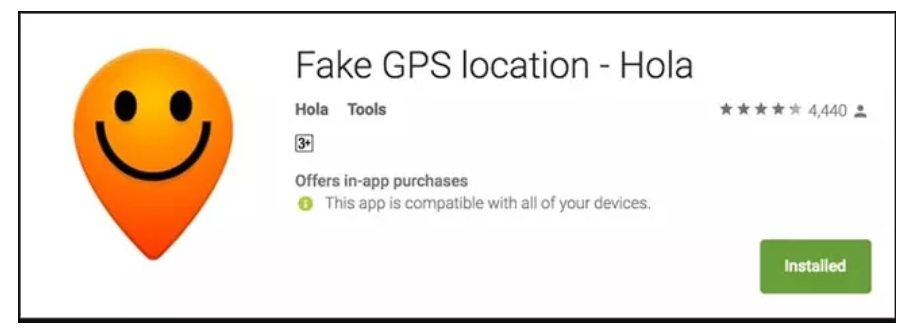
Step 2 Install Fake GPS Location – Hola on your device.
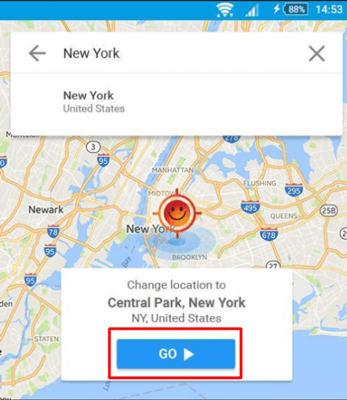
Step 3 Open the app, search a location, and move the map pin.
Step 4 Press Go to change your GPS to the new spot.
General Reviews of Hola Fake GPS App
Hola’s location changer is free and easy to use, with many positive comments about how quickly you can spoof to different places.
But some reviews note glitches with certain apps after spoofing, and because the app hasn’t been updated in some regions, it may behave inconsistently on the latest Android versions.
4. Use Fake GPS Free App
Fake GPS Free apps give you basic GPS to spoof android without root, letting you drop a pin anywhere and pretend your phone is elsewhere. These are lightweight and easy for beginners.
How to Spoof Android Location without Root by Fake GPS Free App
Step 1 Enable mock locations in Developer Options.
Step 2 Download and install a Fake GPS Free app.

Step 3 Choose any point on the map and press Start/Play.
Step 4 The app will override your real GPS with the fake one.
General Reviews of Fake GPS Free App
Many tech guides list these tools as good entry‑level GPS spoofers for Android.
Users praise their simplicity, though some note unstable behavior where the device periodically reverts to the real location, especially in more restrictive apps.
They’re often free and don’t require root, making them attractive for casual location spoofing or social check‑ins.
5. Use NordVPN (IP-Based Location Change)
NordVPN doesn’t change your device’s GPS location. Instead, it routes your internet connection through servers in different countries, making apps and services think you are accessing them from that location based on your IP address.
How to Fake Android Location without Root by NordVPN
Step 1 Install NordVPN from Google Play and open it.
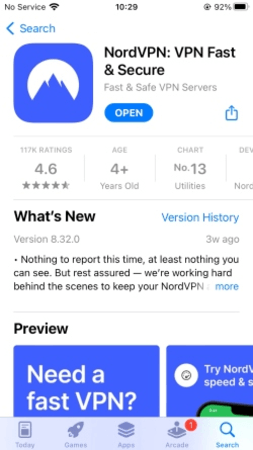
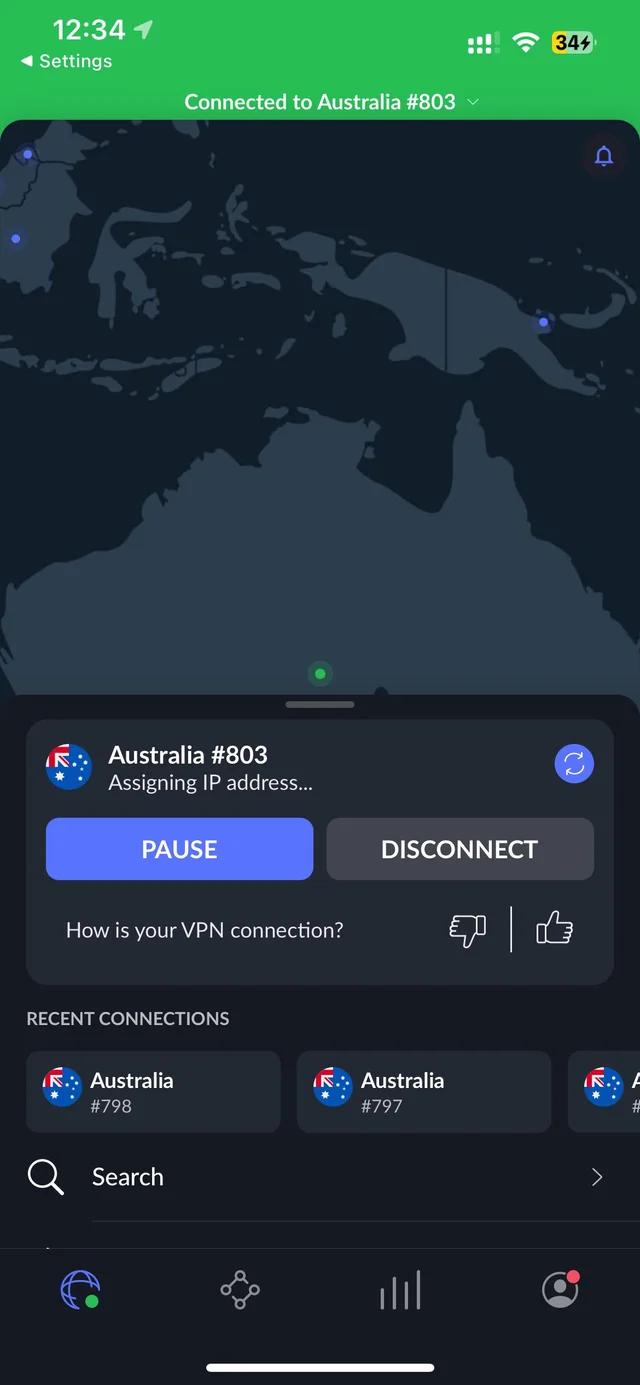
Step 2 Sign in and pick a server in the country you want to appear from.
Step 3 Tap Connect to use that server’s location for your internet connection.
General Reviews of NordVPN
Expert reviews have given NordVPN high marks for its server network, quick speeds, and robust privacy protection.
Many users choose NordVPN for secure browsing and privacy, but need GPS spoofers separately to trick apps that rely on actual location services.
Part 3. FAQs about Changing Android Location Without Root
Q1: How can I manually change location on Android?
Android does not allow a true manual GPS change by default. To change Android location without root, you need to enable Developer Options and select a mock location app. These apps replace your real GPS signal with a virtual one. This method works on most modern Android versions.
Q2: Can spoofers get detected on Android devices?
Yes, some apps can detect spoofing. Games, banking apps, and delivery apps often check for mock locations, unusual movement, or background GPS conflicts. Simple spoofing tools are easier to detect, while advanced tools reduce detection risks. Spoofing is safer when movements look natural.
Q3: What is the code to check if your Android phone is being monitored?
There is no single code that confirms tracking. Codes like *#21# only show call forwarding status, not spying. To stay safe, review app permissions, check battery usage, and remove unknown apps. Monitoring usually happens through installed apps, not secret codes.
Q4: Can someone track my Android location through text messages?
Text messages alone cannot track your live location. Tracking usually happens if you click a shared link, allow location permissions, or install a tracking app. Keeping permissions in check helps protect your privacy.
Summary
The option to change android location without root grants complete control over the device GPS for gaming, social apps, or testing. To have a seamless and secure experience, using MocPOGO is strongly suggested. Its accurate GPS simulation, user-friendly interface, and multifaceted features position it as the most suitable choice for Android consumers.


