


[Tested] 6 Best Aimerlab Mobigo Alternatives to Spoof Location on iOS & Android

 MocPOGO
MocPOGO is the best AimerLab MobiGo alternative to change location on iOS & Android devices in one click.
Many users today look for a reliable AimerLab MobiGo alternative to change their GPS location safely. Some want to play Pokémon GO from home. Others need it for testing apps or accessing location-based content. To make things easier, I’ve shortlisted the top tools that work smoothly on both iOS and Android.

Part 1. What is AimerLab MobiGo?
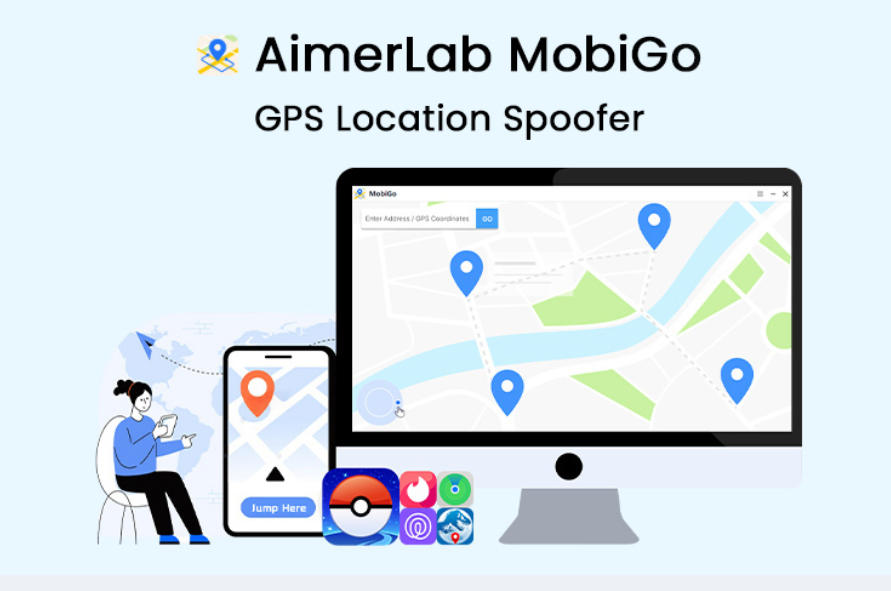
AimerLab MobiGo is basically a simple tool that helps you change your phone’s GPS spot on both iPhone and Android. You don’t need to root or jailbreak anything, which makes it pretty stress-free to use. You can jump to any place you want on the map, set quick or long routes, and choose how fast you want the movement to look.
There’s even a mode that adjusts the speed by itself, which feels more natural. It is simple to use and works with all location-based apps.
Why Do Users Look for an AimerLab MobiGo Alternative?
- ■ The software can lag on some devices.
- ■ The interface feels outdated compared to newer tools.
- ■ Limited support for the latest Android and iOS versions.
- ■ Require a computer; no direct mobile app.
- ■ Some users want smoother movement or more advanced route options.
Part 2. 6 Best AimerLab MobiGo Alternatives to Fake Location on iOS & Android
1. MocPOGO Location Changer
✅ Ratings: 4.9/5
MocPOGO is one of the most reliable AimerLab MobiGo alternatives for faking GPS location on both iOS and Android. It works without any modifications and supports newer systems like iOS 26 and Android 16. Whether you want to play Pokémon GO at home, check a geo-based app, or just keep your location private, MocPOGO gives fast and steady spoofing with one click.
168,282 people have downloaded it.
- Instantly change GPS location anywhere on your device without jailbreak or root.
- Use Two-Spot and Multi-Spot movement to simulate GPS movements with customized speeds to play AR games.
- Safely change location without anyone knowing or getting banned.
- Work with apps such as Monster Hunter Now, Life360, Happn, Skout, and many others.
- Spoof location for up to 15 iOS or Android devices at the same time.
How to Spoof Location on iOS & Android Devices with MocPOGO
Step 1 Download MocPOGO from the official website, install it on your computer, open it, and click Start.
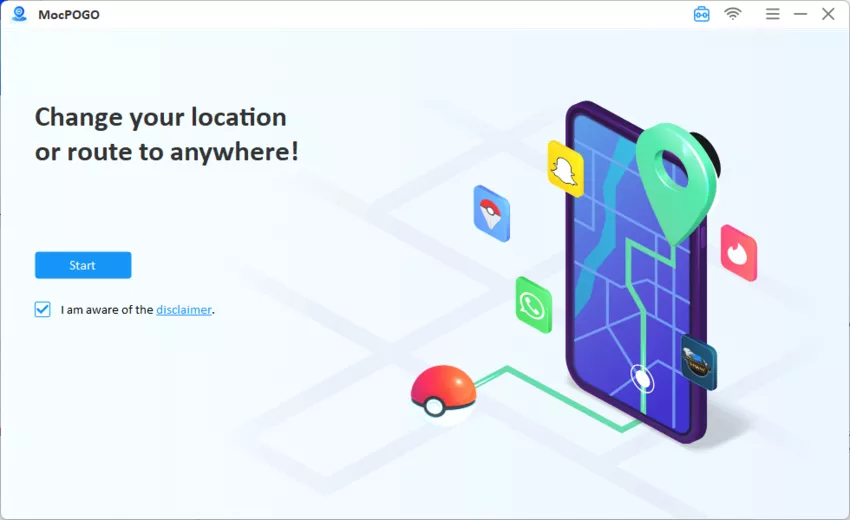
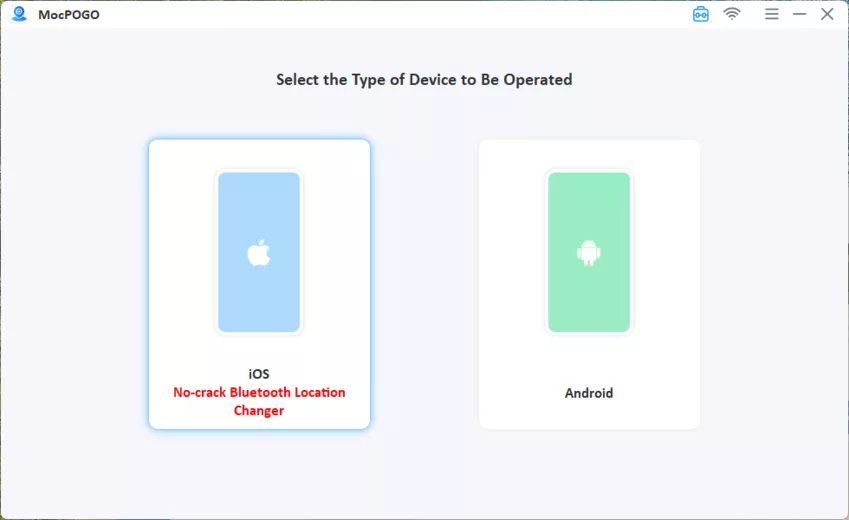
Step 2 Select iOS or Android. Connect your phone with USB or Wi-Fi. Don’t forget to enable Developer Mode on iPhone and USB Debugging on Android devices.
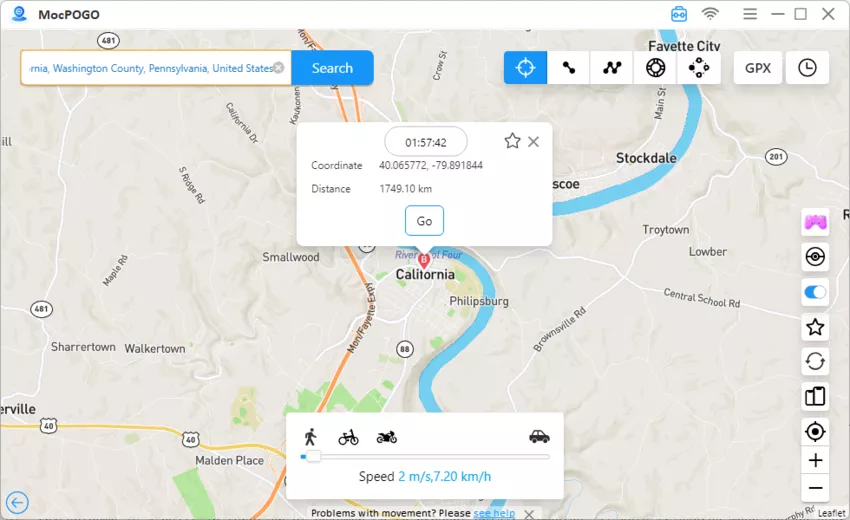
Step 3 Click the Teleport Mode icon. MocPOGO will show your current location. Type the location name or coordinates in the search bar and press Search.
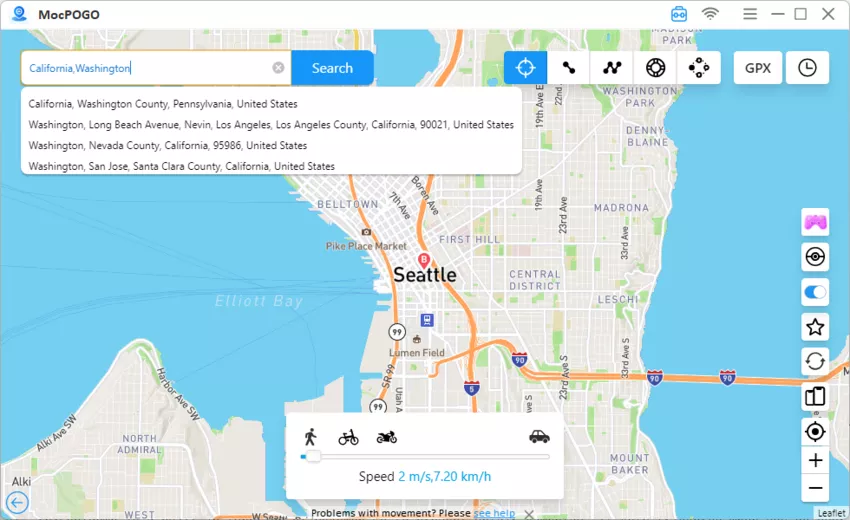
Step 4 Click GO on the map, and your GPS location will instantly change to the new spot.
Pros
- ✔No jailbreak or root needed.
- ✔Very accurate GPS changes.
- ✔Fast and smooth for games.
- ✔Easy interface with multiple route options.
Cons
- ✘Full features require a paid plan.
Note:
You can also feel free to download MocPOGO iOS or Android version app to change location on all location-based apps directly.
2. Mobitrix MagicGo
✅ Ratings: 4.8/5
Mobitrix MagicGo is a popular iPhone location spoofing tool that helps you change, pause, or hide your GPS location instantly. It works without jailbreak and keeps your real location fully protected. People mainly use MagicGo to access geo-restricted apps, play Pokémon GO from home, pause Life360, or browse dating apps in new areas without physically moving.
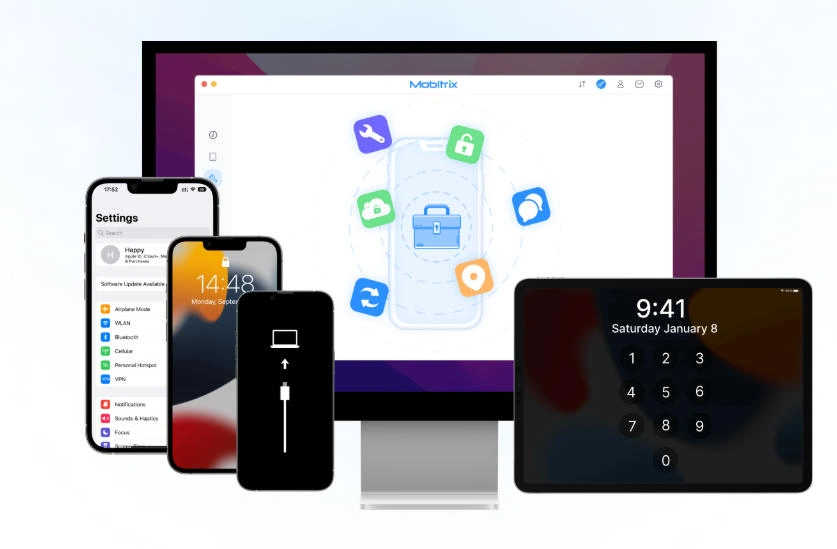
Important Features of Mobitrix MagicGo:
- ■ Change your iPhone GPS to any place instantly.
- ■ Simulate movement with adjustable speeds (walking, cycling, driving).
- ■ Save location history and pin favorite spots.
- ■ Privacy-safe: no real location leaks to any apps.
- ■ Work with the latest iOS versions and supports many GPS-based apps.
Pros
- ✔Very easy to use, even for beginners.
- ✔No jailbreak required.
- ✔Unlimited location changes.
- ✔Great for games, dating apps, and privacy protection.
Cons
- ✘No lifetime license only monthly/yearly plans.
- ✘iOS-only (no Android support).
- ✘Slightly more expensive on Mac.
3. iMocker
✅ Ratings: 4.7/5
iMocker is a desktop-based GPS changer designed mainly for iPhone and iPad users. It allows you to teleport anywhere, simulate movements with routes, and even control up to 5 devices at the same time. It’s often used for gaming, app testing, and privacy protection. Although powerful, it works only with iOS, not Android.
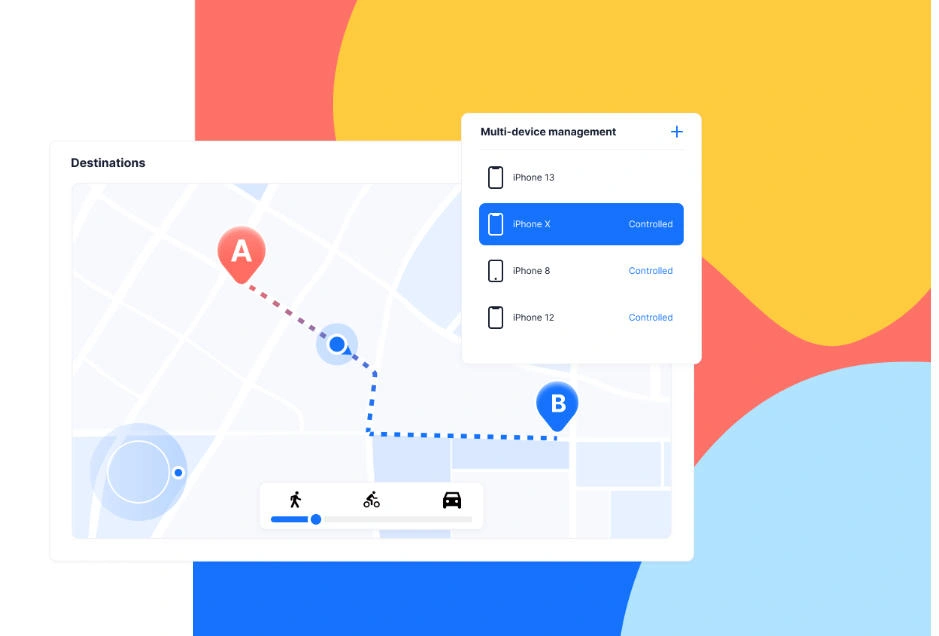
Important Features of iMocker:
- ■ Instant teleport to any location worldwide.
- ■ Joystick movement for natural walking.
- ■ GPX file import to follow real or custom routes.
- ■ Supports up to 5 devices at once.
- ■ Work on Windows/Mac with iOS 17 and iPhone 15 support .
Pros
- ✔Perfect for iOS users needing multi-device control.
- ✔Rich features: joystick, GPX import, teleport, custom routes.
- ✔Help fix Pokémon GO errors like Error 12.
- ✔Great for gaming and location testing.
Cons
- ✘No Android support.
- ✘Require USB/Wi-Fi connection.
- ✘Some apps may still detect spoofing.
- ✘Setup can be technical due to iOS restriction.
4. Dr.Fone — Virtual Location
✅ Ratings: 4.6/5
Dr.Fone Virtual Location is a long-standing desktop GPS-spoofing tool that supports both iOS and Android devices. It’s designed for users who want a quick one-click teleport, route simulation, or joystick movement for games and app testing without jailbreak or root. The tool is part of the wider Dr.Fone suite and emphasizes ease of use.

Important Features of Dr.Fone Virtual Location:
- ■ One-click teleport to any GPS coordinate or address.
- ■ Route simulation: two-spot and multi-spot route creation with adjustable speed.
- ■ Desktop control (Windows/Mac) with device connection via USB or Wi-Fi no root/jailbreak needed for most uses.
- ■ Work with common apps like Pokémon GO, social apps, and testing tools.
Pros
- ✔Straightforward UI and fast teleporting for casual users and testers.
- ✔Multiple movement modes (teleport, route, joystick) that cover most spoofing needs.
- ✔Part of a reputable software family (Wondershare/Dr.Fone), which gives decent support and updates.
- ✔Great for gaming and location testing.
Cons
- ✘Desktop-only workflow (you must use a computer to control the phone).
- ✘Some users report occasional disconnections or detection risks when overusing teleport in strict apps.
- ✘Paid features are behind a subscription or one-time license, and bundled pricing can be confusing.
5. EaseUS MobiAnyGo
✅ Ratings: 4.6/5
EaseUS MobiAnyGo is a compact desktop GPS changer that focuses on iOS devices (and limited Android support in some versions). It aims for a very simple workflow: connect your device, pick a spot, and spoof. EaseUS positions MobiAnyGo as an easy choice for gamers and testers who want to change locations without technical setup.

Important Features of EaseUS MobiAnyGo:
- ■ One-click teleport to any location worldwide.
- ■ Simulate movement between two points and along multi-stop routes with adjustable speed.
- ■ GPX import/export for repeating test routes or egg-hatching in games.
- ■ Desktop app (Windows/Mac), simple UI suitable for non-technical users.
Pros
- ✔Very beginner-friendly quick setup and minimal options to confuse new users.
- ✔Work well for basic needs: teleporting, simple route simulation, and GPX import.
Cons
- ✘Feature set is narrower than some competitors fewer advanced joystick or multi-device controls.
- ✘Some reviewers note detection risks if used aggressively in anti-cheat apps.
- ✘Depending on the latest software changes, compatibility with the newest OS versions can lag a little.
6. FonesGo Location Changer
✅ Ratings: 4.5/5
FonesGo Location Changer (from the FonesGo/Foneazy family) targets both iOS and Android users with a feature-rich yet affordable desktop spoofer. It emphasizes realistic movement modes (two-spot, multi-spot, teleport) and social/game modes designed for playing AR titles or hiding location on social apps. The vendor markets the tool as a practical AimerLab MobiGo alternative with strong movement simulation.

Important Features of FonesGo Location Changer:
- ■ Teleport, Two-Spot, Multi-Spot route simulation and jump teleport.
- ■ Joystick and keyboard control for smooth in-game movement.
- ■ GPX import and multi-device control (varies by license).
- ■ “Social” and “Game” modes to make spoofing look more natural for specific app types.
Pros
- ✔Good balance of advanced features (joystick, GPX) and approachable UI.
- ✔Regular updates and clear documentation on the official site.
- ✔Often priced competitively, with trial downloads available for testing.
Cons
- ✘Desktop control required for many features (USB/Wi-Fi connection).
- ✘Like other spoofers, there is always a detection risk for accounts using heavy teleporting in strict AR games.
- ✘Some users report occasional bugs in older versions available on third-party sites.
Also Read: FonesGo Location Changer Review – Is It Worth Using?
Here is the Comparision Table about Top 6 AimerLab MobiGo Alternatives
| Tools | Difficulty | Spoofing Time | Compatibility | Price |
|---|---|---|---|---|
| MocPOGO | Easy — very simple setup for location spoofing | Instant teleport | Windows/Mac → iOS & Android | Start from US$9.95/month (15 devices) |
| Mobitrix MagicGo | Medium — desktop‑based, needs connection but UI is intuitive | Teleport | Windows (desktop) → iOS (iPhones) | Start from US$9.95/month (5 devices) |
| iMocker | Medium — desktop-based control, multi-device requires some setup | Fast | Windows/Mac → iOS only (iPhone & iPad) | Start from US$9.95/month (5 devices) |
| Dr.Fone – Virtual Location | Medium — desktop app, needs USB/Wi-Fi; moderate learning curve for route or joystick | Medium | Windows/Mac → iOS & Android | Start from US$9.95/month |
| EaseUS MobiAnyGo | Easy — very beginner-friendly, simple desktop UI | Instant | Windows → iOS only (iPhone / iPad | Start from US$14.95/month |
| FonesGo Location Changer | Medium — desktop, but UI is feature-rich | Instant | Windows/Mac → iOS & Android | Start from US$9.95/month |
Conclusion
Location spoofing apps have become essential for many purpose. Since there are many tools out there, picking the right one can get confusing. From all the AimerLab MobiGo alternative, MocPOGO stands out the most. It’s quick, simple to figure out, supports multiple devices, and stays stable while teleporting your location, making it the safest and most reliable option overall.


