


2 Effective Ways to Fake GPS in Walking Dead Our World for iOS & Android

 MocPOGO
MocPOGO is the best location changer to fake GPS in Walking Dead Our Worldwithout detection.
If AR gaming is something you enjoy, then Walking Dead Our World is definitely a game on your list. This location-based AR game takes you to another level of thrill ride, but also it requires you to physically move around different locations. So here, if you wish to get that immersive experience of the game without actually moving out, faking GPS is the answer. So, in this topic, we will let you know the best ways to fake GPS in Walking Dead Our World.

Part 1. Before Faking GPS in Walking Dead Our World
1. About Walking Dead Our World
Released in 2018, Walking Dead Our World is a GPS-based game that, along with powerful AR technology, offers an exciting experience. The game is inspired by The Walking Dead TV series, and here the player has to actually move around to really different locations to fight the zombies, collect weapons, collect heroes, and more. The game works by tracking the players and their locations using GPS.
2. The Benefits of Faking GPS Walking Dead Our World
Since Walking Dead Our World requires you to move to different locations to play the game, if you are not keen to do so, faking the location and setting spoof GPS is an alternative. There are several benefits of faking GPS in Walking Dead Our World.
- ✓ Play the game without physically moving outside.
- ✓ Explore different areas and locations for game missions.
- ✓ Get access to more gameplay content and resources.
- ✓ Get in contact with more people beyond your area.
- ✓ Save time and effort of going out and playing the game.

Part 2. 2 Effective Ways to Fake GPS in Walking Dead Our World on iOS & Android
So now that we know several benefits of faking GPS in Walking Dead Our World, let’s learn about the best ways to do so on iOS and Android devices.
1. MocPOGO Location Changer
The best tool to fake GPS location in Walking Dead Our World is MocPOGO Location Changer. This is an excellent tool that helps you teleport your device to any desired location on iOS & Android devices. Even the latest iPhone 17 is supported. You can even use the advanced features like Two-spot mode to simulate movements. And without any tech skills, anyone can change location with ease.
168,282 people have downloaded it.
- Instantly fake GPS in AR games on your device without jailbreak or root.
- Freely use GPS jostick mode to control your character in the game.
- Safely avoid different bans when faking GPS in Walking Dead Our World.
- Change GPS location of all location-based games/apps, like Pokemon Go, Monster Hunter Now, Jurassic World Alive and YikYak, etc.
- Support the latest iOS 26/Android 16.
How to Fake GPS in Walking Dead Our World by MocPOGO
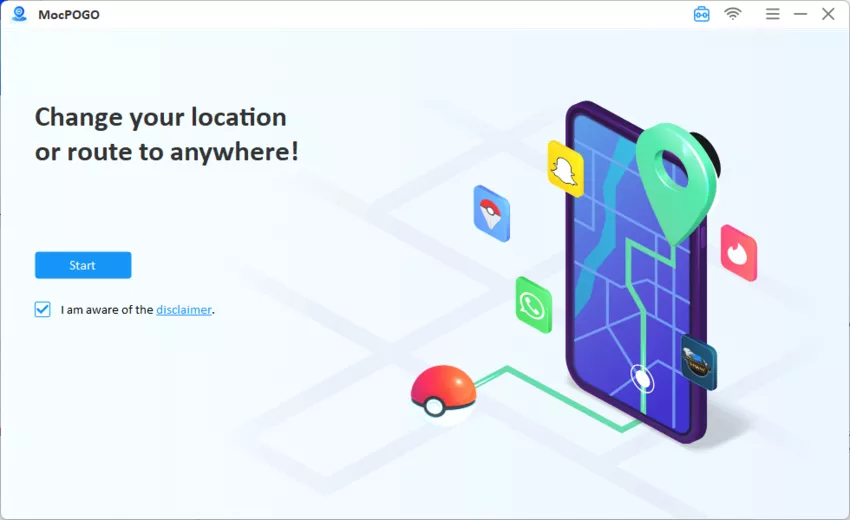
Step 1 Download MocPOGO and install it on your PC. Then you’ll need to register for it. Open the installed MocPOGO tool on your system, and click Start.
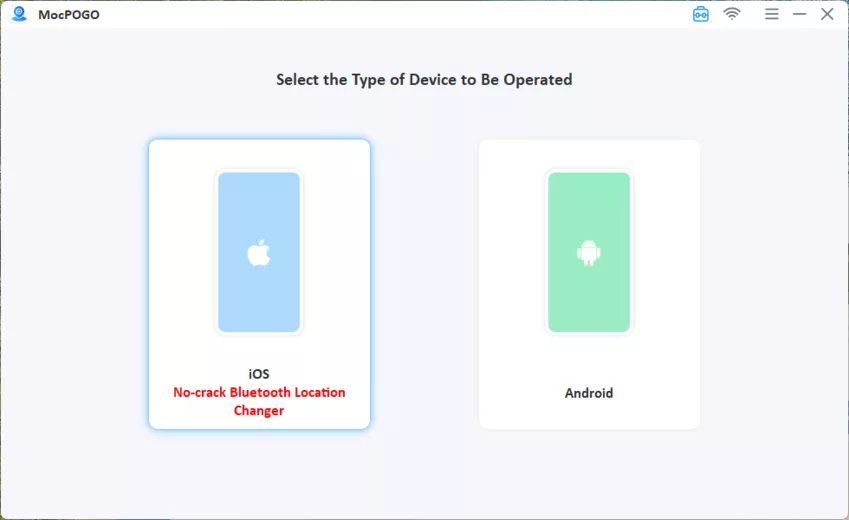
Step 2 Using a USB cable or through Wi-Fi, connect your Android or iOS device.
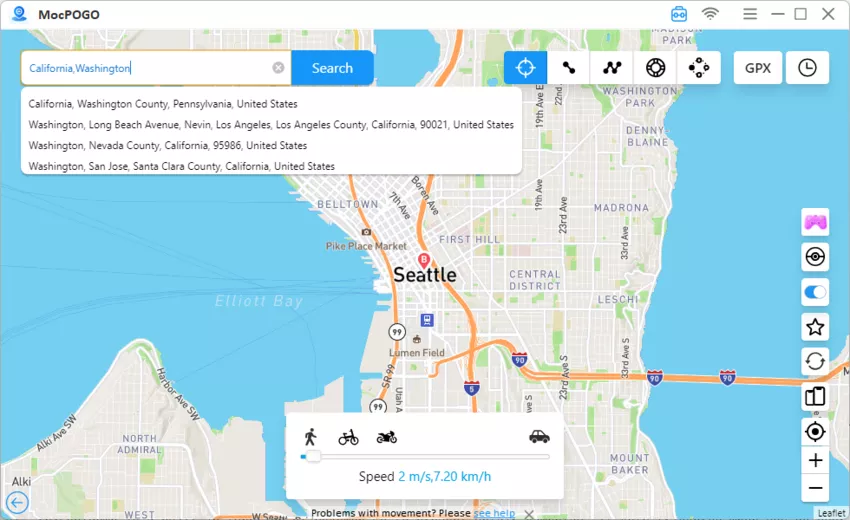
Step 3 Click Teleport Mode, in the search box on the main page, enter the address of the location you want to set as spoof GPS. You can also enter the coordinates. Click on the Search button to select the location.
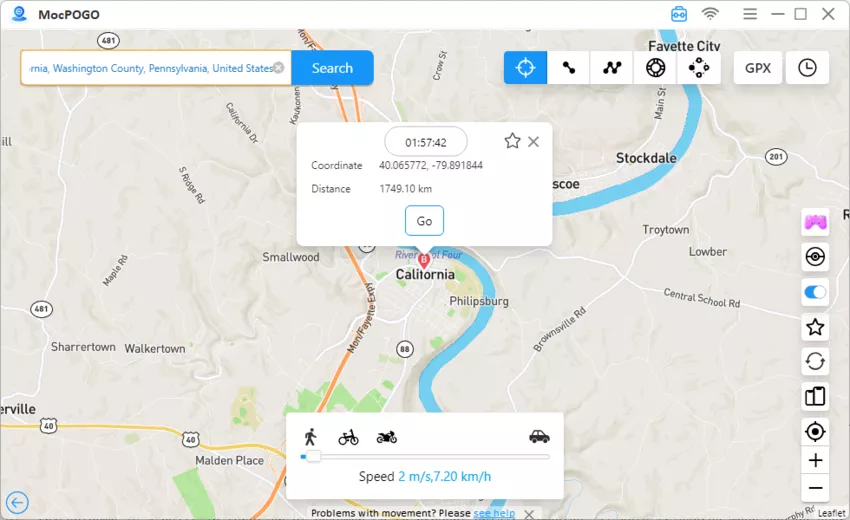
Step 4 Once the location is confirmed, click on the Go button, and you will be teleported to the location. Launch Walking Dead Our World, you can find that the location has also been changed.
Reviews of MocPOGO
- ➔ MocPOGO Location Changer has earned a lot of positive reviews from gaming lovers as well as other users. A few of them can be checked out as follows.
- ➔ I am very impressed with the tool, and it has outstanding customer support. – Kitsuna Mei
- ➔ It’s an amazing app that is very easy to use. – Linh Nguyen
- ➔ The app works as it should and is perfectly fine. Highly recommend. – Jarell Flanagan
- ➔ The App and the support staff are great, and it delivers what it promises. – Aldrin Delacruz
Note:
You can also feel free to download MocPOGO iOS or Android version app to fake GPS in Walking Dead Our World directly.
2. Fake GPS Location App
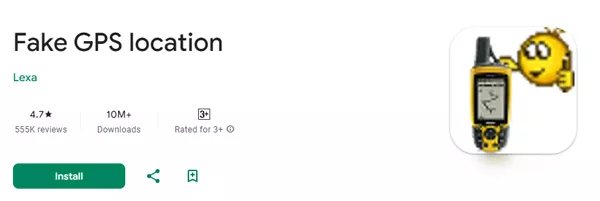
Another app to set fake GPS for Walking Dead Our World is Fake GPS Location App developed by Lexa, and this app is only available for use on Android devices. Using the app, the GPS coordinates of any place can be selected as the desired location. The app allows switching between the locations and can also simulate the routes and movements.
How to Spoof Location in Walking Dead Our World by Fake GPS Location App
Step 1 Start by downloading the Fake GPS app from the Play Store on your device.
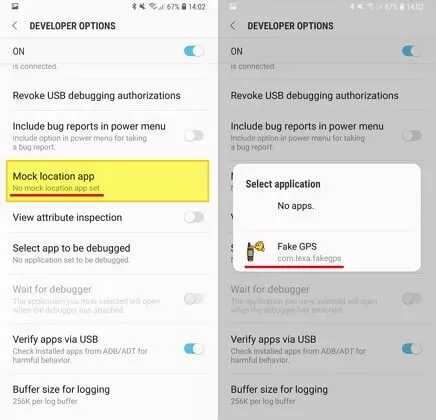
Step 2 Next, enable the Developer Mode if it has not already been enabled on your device. And select Fake GPS Location as your mock location app.
Step 3 Launch the app and then, using the cursor or the search bar, select the desired GPS location. Click on the green colored Play icon, and your device location will be set to the one selected.
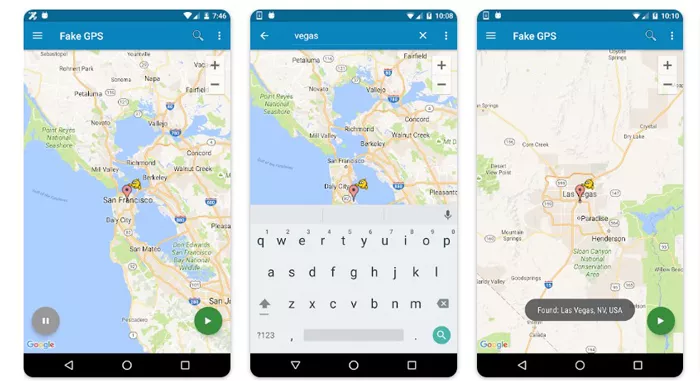
With above guide, you can spoof fake GPS in Walking Dead Our World.
Reviews of Fake GPS Location App
Above, we have seen how users have praised the MocPOGO Location Changer for its excellent features, performance, and customer support. Fake GPS Location App here can be a decent alternative, but it’s only available as an Android app, and the user reviews are not that great.
- ➔ The app is non-functional and has many broken features. The map always appears as a solid blue tile. – Karen Moore
- ➔ The app is not user-friendly, and the maps lack substance. – Ryan Pollom
- ➔ At the start, it was working fine, but now the GPS is showing an error that makes it impossible to detect the place. – Reda Able
- ➔ The app is just ok, but too loosey-goosey. – Wayne
Part 3. 4 Useful Tips about Faking GPS in Walking Dead Our World
Listing a few tips about faking GPS in Walking Dead Our World that will surely be helpful.
✅ Don’t Jailbreak or Root Your Device
It is always advisable not to jailbreak or root your device for spoofing location, as it brings risk to your device, and also the chances of getting detected by the game developers are high.
✅ Turn Off App While Faking GPS
There is always a risk of getting detected while using a fake GPS, and thus, it is recommended not to always play the game using the fake GPS. Turning off the app while faking GPS for some time while playing the game is good.
✅ Don’t Use VPNs
Using a VPN network always brings in risk, and thus, it is advisable not to use VPNs. A VPN does not have a stable connection, and it is also an insecure method, increasing the chances of getting detected. Additionally, using a VPN to spoof location does not support additional features like customized routes and speed.
✅ Never Move Too Fast in the Game
Moving too fast in the game can look fake and get the attention of the developers, and increase the risk of getting caught and account ban. So, it is always better to move with natural speed and also avoid frequent switching of location.
Conclusion
So, if you wish to catch the zombies in Walking Dead Our World with the comfort of sitting in your home, setting a fake location is the best option. With no dearth of location-changing tools, selecting a trusted one like MocPOGO Location Changer is important to ensure quick teleporting, enhanced features, and no risk of getting detected. Get set and fake GPS Walking Dead Our World and enjoy the game.


