


How to Change Location on eHarmony by 4 Effective Methods

 MocPOGO
MocPOGO is the best location changer to change location on eHarmony for iOS & Android devices.
eHarmony is a popular online service site that helps you connect with like-minded people in your area for friendship and relationships. So, if you are keen to look out for people in other regions, you need to move to the desired location in the region, and this is not always possible. So here, an alternative is available that can help you change location on eHarmony, and this topic will discuss the most effective ways on how to change location on eHarmony.

Part 1. Before Changing Location on eHarmony
Before we get into changing the location on eHarmony, let’s first get to know about the service in detail.
What is eHarmony?
Launched in the year 2000, eHarmony is an online service that shows potential matches in your area for socializing and relationships. The personality, interests, and other information of a person are gathered through a detailed questionnaire, and then the matching algorithm helps find a compatible partner.
Why Do People Like to Change Location on eHarmony?
The partner match on eHarmony is done based on your region or proximity, and there are several situations when you would need to change your location on the app. Check the key ones below.
- ■ Changing location helps increase the options beyond your region.
- ■ If you are planning to move to a location in the near future, changing location beforehand facilitates connecting with people before you actually move.
- ■ If you are keen to find a partner from a specific region, changing location helps.
- ■ Privacy can also be a reason for changing location.
Part 2. How to Change Location on eHarmony Using 4 Effective Methods
1. Use MocPOGO Location Changer
If you are looking for a quick, reliable, and the best method to change location on eHarmony, then MocPOGO is the best. This GPS location changing tool allows you to change eHarmony location in just one clicks. Apart from eHarmony location, MocPOGO can also fake other location-based dating apps, like Happn and Skout, etc.
168,282 people have downloaded it.
- Instantly change location on eHarmony for iOS & Android devices.
- Easily fake eHarmony location on your phone without jailbreak or root.
- Safely change location on eHarmony without detection or anyone knowing.
- Change GPS location of all location-based games/apps, like Pokemon Go and Zenly and Messenger, etc.
- Work with the latest versions, like iOS 26 and Android 16.
How to Change Location on eHarmony by MocPOGO
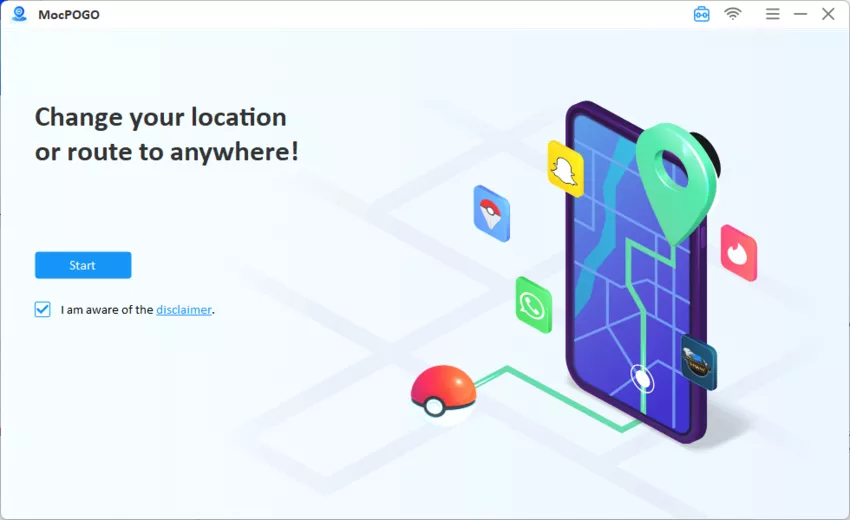
Step 1 Download, install, and open the MocPOGO tool on your system. Click Start to begin.
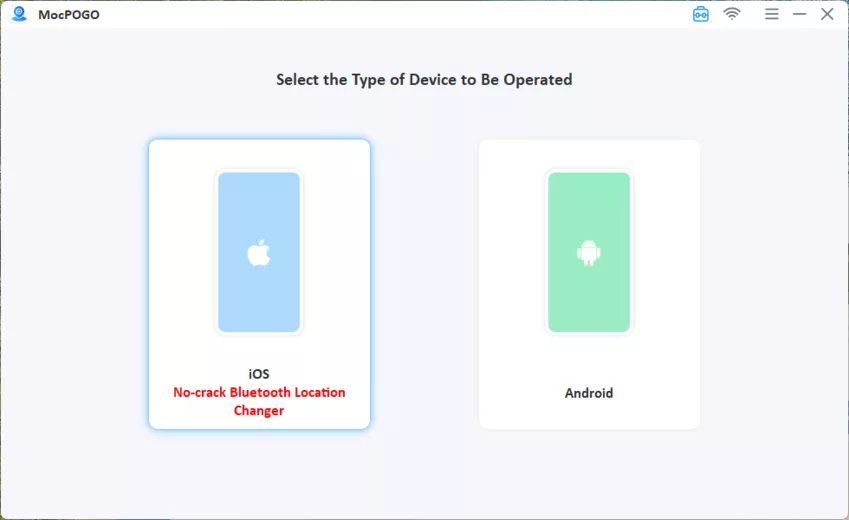
Step 2 Using a USB cable, connect your Android or iOS device to the system, and first-time users need to enable Developer Mode/USB Debugging on their devices.
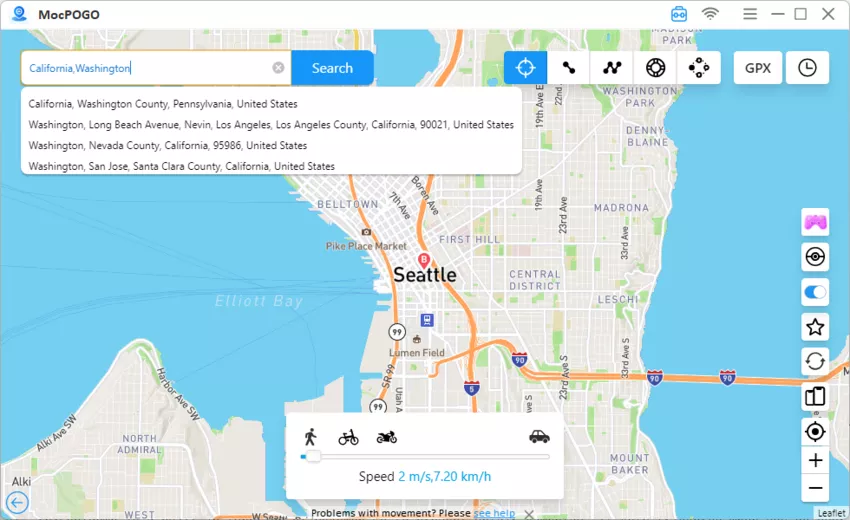
Step 3 After the phone is connected, tap on the Teleport Mode, and your current location will be visible. At the search bar, enter the desired location name or its coordinates and click on the Search button.
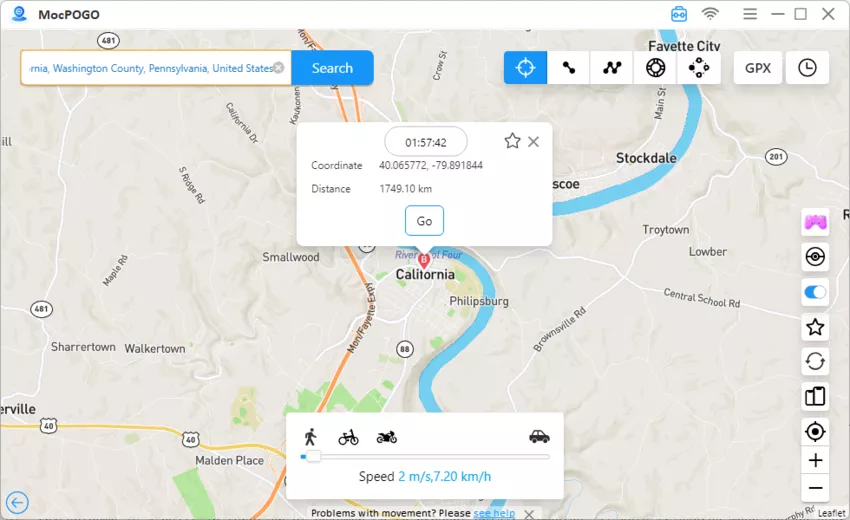
Step 4 Select the location and tap on the GO to set this as the new device GPS location. With MocPOGO, eHarmony change location can be done quickly and effectively.
Why is MocPOGO the Best Method
- ✓ Quick and fast.
- ✓ Simple and user-friendly.
- ✓ No jailbreak or rooting needed.
- ✓ Available as a direct app for Android and iOS, as well as desktop software.
Note:
You can also feel free to download MocPOGO iOS or Android version to change location on eHarmony directly.
2. Use eHarmony Official Settings
The official settings of eHarmony can be changed to move to a new location. Based on the change in location, the effective matches will be shown.
How to Change eHarmony Location via Official Settings
Step 1 Launch the eHarmony app and log in using your account.
Step 2 Click on the avatar or account name to open your profile.
Step 3 Tap on the “ I” icon present next to the name and then click on Match Settings.
Step 4 Move to the Distance and Geography option.
Step 5 Tap on the current postal code and in the pop-up, enter the new one, and then click on Continue.

Step 6 City needs to be confirmed, and you can also adjust the location if required. Tap on the Continue button.
Step 7 Select your search range option – “In My Country” ( for the US) or “ Anywhere in the World” for a broader search.
Step 8 Finally, click on the Save button to save the new location.
3. Use PureVPN
Masking your IP address using a VPN service is another way to hide your current eHarmony location and set a new one. PureVPN is one such service that can be used when you need to connect to a server in the desired area and then access the app.

How to Change eHarmony Location via PureVPN
Step 1 On your device, install the PureVPN app and then use your credentials to log in.
Step 2 Then you need to choose and connect to the server of the target country.
Step 3 Next, launch the eHarmony app, and it will now detect this new IP as your current location.
Note:
This method works best when app settings are not altered and when the profile location is edited for eHarmony, which gives the optimal results. Also, to get a speedy connection, choose the nearby servers.
4. Use a Fake GPS App
For your Android devices, using the Fake GPS App is another way to change the location of the eHarmony app. To use any fake GPS App, you first need to enable the Developer Options on your Android phone.
How to Fake eHarmony Location via a Fake GPS App
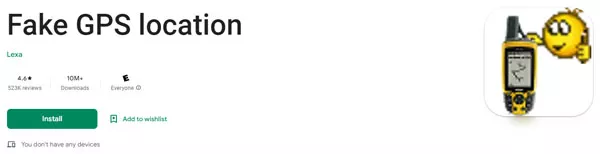
Step 1 Start by downloading a Fake GPS App on your Android phone from the Google Play Store. One such app is Fake GPS location.
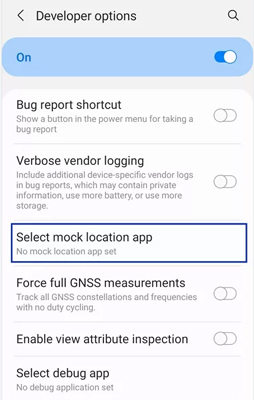
Step 2 Go to Settings>Developer options and then move down to Mock location app or allow mock locations. Here is the installed app.
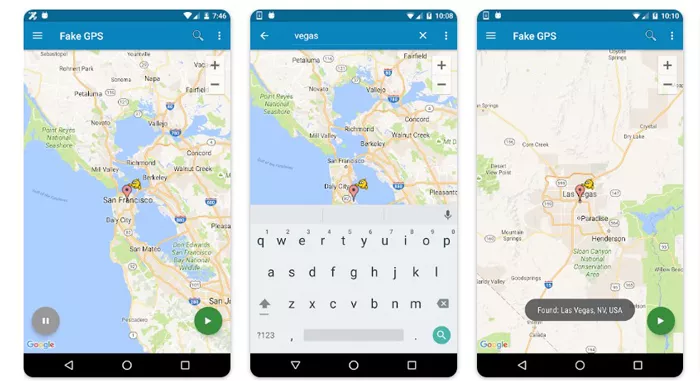
Step 3 Next, open the Fake GPS app and, using its map interface, select the location you want to set.
Step 4 Launch the eHarmony app, and the new location, as set by the Fake GPS app, can be seen.
Part 3. FAQs about How to Change eHarmony Location
Q1: Does location on eHarmony affect who I meet?
Yes, the location on your eHarmony has a direct influence on the people and matches that are shown. The location of the app prioritizes users in the nearby areas.
Q2: How do you change distance on eHarmony?
The distance on eHarmony can be changed by accessing the match through the app settings. The radius of the area is controlled by the adjustment through the official settings page.
Q3: Can someone see how many times you view their profile on eHarmony?
No, the eHarmony app does not show how many times you have viewed someone’s profile. When you visit someone’s profile, it can be seen in their list of visitors, with the top showing the frequent viewers. The list is there, but no exact count.
Q4: Can you set dating apps to different locations?
Yes, dating apps can be set to different locations to broaden their search and matches. This can be either done manually or using a reliable location changing service like MocPOGO.
Summary
So now you’ve known the 4 best ways on how to change location on eHarmony. Remember that Changing eHarmony location using MocPOGO is an excellent way to explore the matches and partners in other areas without actually moving or travelling. The MocPOGO location changer can be used directly as a phone app or a system software to get the task done safely, quickly, and easily.


