


4 Smart Ways to Change Location on Kippo for iOS & Android

 MocPOGO
MocPOGO is the best location changer to change location on Kippo for iOS & Android without detection.
Kippo is a social and communication application developed by Covalent Inc. Changing your location on Kippo can open up new opportunities, letting you connect with people outside your area. In this guide, we will mention the top 4 ways to change Kippo location, covering simple in-app methods, reliable GPS spoofing techniques, and safe third-party tools.

Part 1. What Should You Know about Kippo
What is Kippo – Come Hang Out?
With the rise of online gaming and social media, finding love has become even easier for some. However, gamers may sometimes feel left out of the loop when it comes to traditional dating apps. This is where Kippo comes in – a dating app specifically designed for gamers.
Kippo allows users to show their favorite games, share in-game achievements, and connect with like-minded individuals who truly understand their passions. Plus, users can also connect with other users through chat and messaging features and even play games together within the app. Its interface is designed like a video game.
Is Kippo Available in My Country?
If you’re living in the US, Canada, or Europe, there is some good news for you. Kippo is available in the US, Canada, and Europe. Users can access this app in these locations without restrictions. Additionally, Kippo is working to operate worldwide. If you’re located outside its current regions, you may need to wait a little while before the app becomes fully available in your area.
The Benefits of Changing Kippo Location
There are hundreds of benefits to change Kippo location. Below, we have mentioned the top benefits of changing the Kippo location.
- ■ To Get More Matches: If you’re living in a remote or rural location, then there might not be many Kippo users nearby. You can change the Kippo location to one of the best places and expand your search.
- ■ Availability: As we have mentioned earlier, Kippo is only available in the US, Canada, and Europe. Changing the Kippo location can help you access the app in your area.
- ■ Enhance Privacy: By using a different location, you can protect your real location while still enjoying the app, adding an extra layer of privacy and security.

Part 2. 4 Easy Ways to Change Location on Kippo for iOS & Android
How to change Kippo location? To Kippo change location users have to follow a few methods. Below, we have mentioned the top 4 easy ways to change location on Kippo on iOS & Android devices.
1. Update Profile Location in Settings
If you’re a regular user of Kippo, then you must know that this app provides built-in settings to change your location. However, it is only limited to supported locations such as the US, Canada, and Europe.
To update the profile location in Kippo Settings, follow the instructions below:
Step 1 Launch Kippo on your Android and iOS devices. Log in with your active account or sign up.
Step 2 Choose the “Settings” option available on the top right corner. Navigate down and select the “Location” option.

Step 3 Simply enable the location feature, and Kippo will automatically update your location.
Note:
This feature only allows you to switch to a location that Kippo supports; it doesn’t let you access regions where the app is restricted.
2. By MocPOGO Location Changer – iOS & Android Supported
If you want to access Kippo in restricted areas, try MocPOGO. It is a powerful location spoofing app available for Android and iOS devices. With the help of this app, users can easily change Kippo GPS to restricted areas, including Asia, Russia, and more. The app offers an easy-to-use interface, one-click location switching, and realistic GPS simulation, making it safe and beginner-friendly.
168,282 people have downloaded it.
- Instantly change Kippo location to anywhere without jailbreak or root.
- Safely change Kippo location without anyone knowing.
- Support all iPhone devices and versions, including iPhone 17 and iOS 26.
- Support almost all Android brands and version, including Samsung and Android 16.
- Change GPS location of all location-based games/apps, like Pokemon Go, Happn, Skout and eHarmony, etc.
How to Change Location on Kippo for iOS & Android with MocPOGO
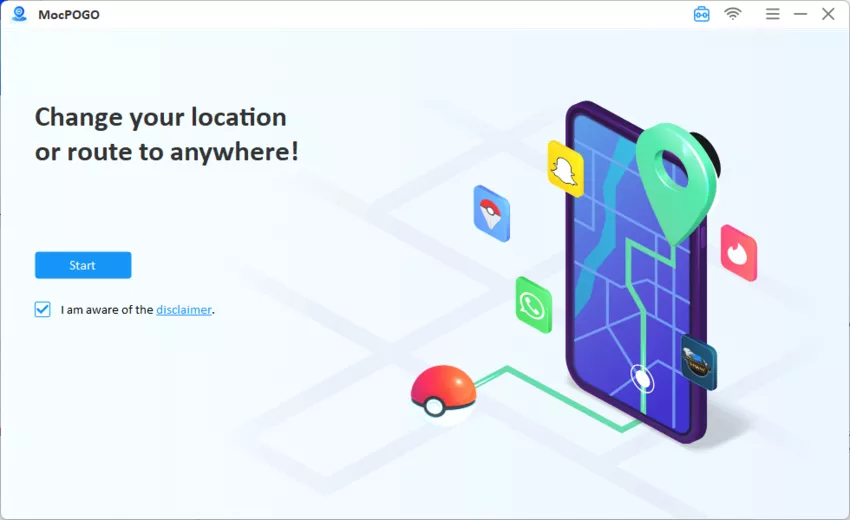
Step 1 Download and install MocPOGO on your PC. Launch MocPOGO on your PC and click on the “Start” button.
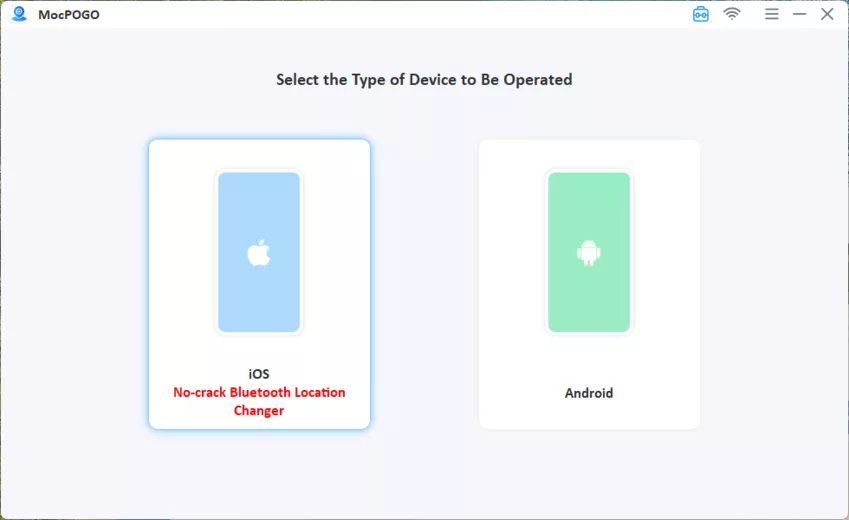
Step 2 Connect your iOS & Android device using a USB cable or WiFi and follow the on-screen instructions.
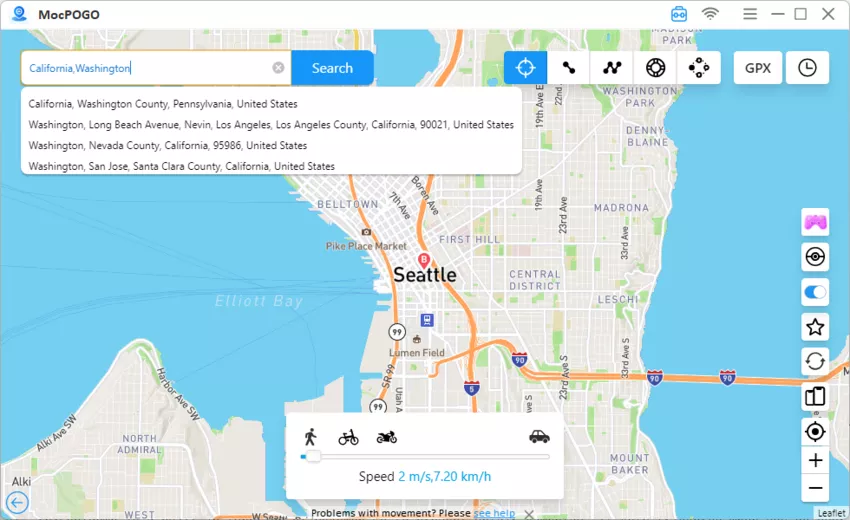
Step 3 Once your device is successfully connected, click on the “Teleport” mode to locate your current location. Enter the target location and hit the “Search” button.
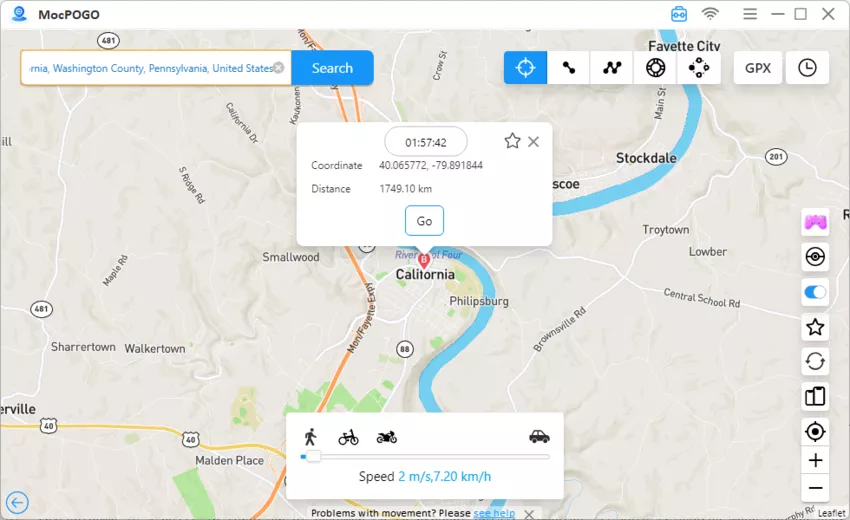
Step 4 MocPOGO will fetch the desired location, and click on the “Go” button to alter your location in real-time.
MocPOGO User Experiences
MocPOGO is one of the best ways to change Kippo location on Android & iOS, because it offers an intuitive interface and very easy to use. Meanwhile, MocPOGO works seamlessly with all location-based apps, including Kippo. The most important part is that MocPOGO is very safe when you spoof in those dating apps.
Note:
Please also feel free to download MocPOGO iOS and Android app to change Kippo location to anywhere.
3. By 3uTools Virtual Location – iOS Supported
3uTools Virtual Location is a GPS-location spoofing feature available in 3uTools that lets you fake location only on iOS devices. With this tool, users can also change location on Kippo effortlessly.
Key Features of 3uTools Virtual Location:
- ■ Real-time location changing capabilities.
- ■ Change Kippo location on iPhone without jailbreak.
- ■ Support all iOS devices and versions.
How to Change Kippo Location by 3uTools Virtual Location
Step 1 Download and install the latest version of 3uTools. Once installed, launch it and connect your Android and iOS devices using a USB cable.

Step 2 Next, go to “Toolbox” and select the “Virtual Location” option.

Step 3 A map window will appear on your screen. Enter the target location and hit the “Modify Virtual Location” option. 3uTools will alter the location on the connected device.

4. By Hola Fake GPS Location – Android Supported
Hola is a popular service that allows you to mask your actual location to a location of your choice. The app enables users to change the Kippo location on Android devices effortlessly.

Key Features of Hola Fake GPS Location App:
- ■ Change Android device’s GPS location with ease.
- ■ Spoof Android location without root.
- ■ Support apps like Kippo, Tinder, and Facebook, etc.
- ■ User-friendly interface.
How to Change Kippo Location by Hola Fake GPS Location App
Step 1 Install the latest version of Hola Fake GPS from the Play Store. Next, enable the “Allow Mock Location” feature from the Developer Options.
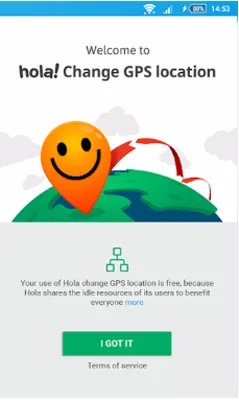
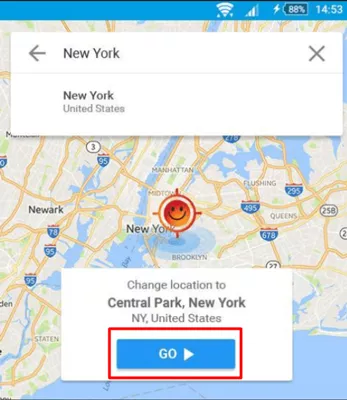
Step 2 Launch Hola and select the target location.
Step 3 Next, hit the “Go” button. The location on your phone, including Kippo will be changed instantly.
Part 3. FAQs about Change Kippo Location
Q1: How does Kippo location work?
Kippo uses your device’s GPS and location services to determine where you are.
Q2: Will I get detected if I use a location changer on Kippo?
If you use the MocPOGO location changer on Kippo, then the app will never detect that you’re using a location spoofing program.
Q3: How to get back my original location on Kippo?
You can get back to your original location on Kippo via MocPOGO easily. Simply restart your device, you can get back to your original location.
Conclusion
In this guide, we have mentioned the top 4 methods to change Kippo location. Among them, MocPOGO is the best option. With the help of this tool, users can easily change their Kippo location without getting detected. Now take a free trial!


