


Top 5 Solutions to Change Country of Google Account

 MocPOGO
MocPOGO is the best location changer to change location on iOS & Android devices without jailbreak or root.
Your Google Account is a storehouse for a lot of your important data, information, apps, and more. Several times, the need to change the country location arises, like moving to a new location, access to content and services of another country, and more. So, if you, too, have been in one such situation and are looking for ways to change country of Google Account, we have got everything covered. Stay with us !

Part 1. What Should You Know about Changing the Country of Your Google Account
Why Do You Need to Change the Country of Your Google Account
There can be several reasons and situations when you need to change the country of your Google Account, and some of the common ones can be checked below.
- ■ Moving or travelling to another country.
- ■ Getting access to the services and apps that are not available in your area and country.
- ■ Getting access to regional-specific content and services.
- ■ Keeping privacy while searching for some sensitive information.
Important Note Before Changing Google Account Location
There are some important points that need to be considered before you change the Google Account location.
- ⚠ Google Play allows changing the settings for the country only once every year.
- ⚠ Google requires proof for country change, such as a local method of payment, IP detection, or others.
- ⚠ After changing the country, the apps, services, and other subscriptions from the previous country might not be available to access at the new location.
- ⚠ There might be apps and services that are not available even with the change in the country.
- ⚠ There will be a disruption in the shared subscription if you are a part of the Google Family Group once you change the location.
Part 2. Top 5 Solutions to Change Country of Google Account
In this part, we will run through the best solution to change the country of the Google Account.
1. Change Country of Google Account on PC
To change the country location of your Google account via PC, you need to update the profile related to your Payments. Since the region settings of Google are connected with the billing and local verification, changing to the new location’s local payment method will work.
Note:
Changing country through the method can be done only once a year, and this also has a cooldown period of 90 days between the changes.
Steps to Change Google Account Location on PC
Step 1 On your PC, launch Google Play.
Step 2 Check for Settings > Payment Profile. Here, tap on the icon of edit next to Country/Region.

Step 3 Click on “Choose a country or region” and then select the desired location from the drop-down menu, and create a new profile for payment.

Step 4 Tap on Continue, and as you accept the changes, you are done.
2. Change Google Account Country on iPhone
On your iPhone, changing your Google Account country requires you to add a new method of payment from the new location. Though the location of your device is detected by Google through SIM or IP, it is verified using the local payment method. As the country changes, the settings of the search region also differ.
Steps to Change Google Account Location on iPhone
Step 1 Launch the Google App on your iPhone.
Step 2 Click on your profile icon present at the top-right corner. Go to Settings > General > Account and device preferences > Country and profiles.
Step 3 From the list, choose the desired country and then add a valid payment method.
3. Change Google Account Country on Android
Based on your country selection, the apps and services are made accessible via your Google account. So, changing the location to some other country will give you access to the content available there. The process of changing location might take a period of around 2 days to get updated.
Steps to Change Google Account Location on Android
Step 1 On your Android device, open the installed Google Play Store app.
Step 2 Click on the profile icon and then go to Settings > General > Account and Device preferences.

Step 3 In the Country and profiles section, choose the desired option to change the location.
4. Use a Professional Location Changer to Change Google Account Country
Another effective and quick solution to change the Google Account country is by using a third-party GPS location changing tool like MocPOGO. A lot of Google services like Google Play, Google Search, Google Shopping, and others rely on GPS location, and so if a spoof location is set, the services of the new area can be accessed.
MocPOGO is a feature-rich and versatile GPS location changing tool that can help you set any desired location for your iPhone and Android device, without actually travelling. Once the new country is set, it will be reflected for all the location-based apps and services like Google Map.
168,282 people have downloaded it.
- Instantly change location on iPhone without jailbreak.
- Quickly change Android location without root.
- Safely change location on your device without detection or anyone knowing.
- Change GPS location of all location-based games/apps, like Pokemon Go and Zenly and eHarmony, etc.
- Work with the latest versions, like iOS 26 and Android 16.
How to Change Location on iOS & Android by MocPOGO
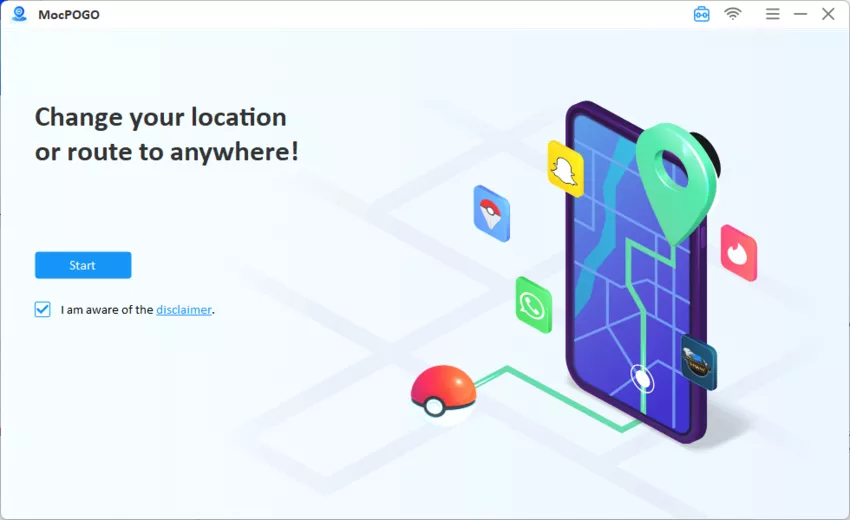
Step 1 Start by downloading the MocPOGO tool to your system. Once installed, launch it to start.
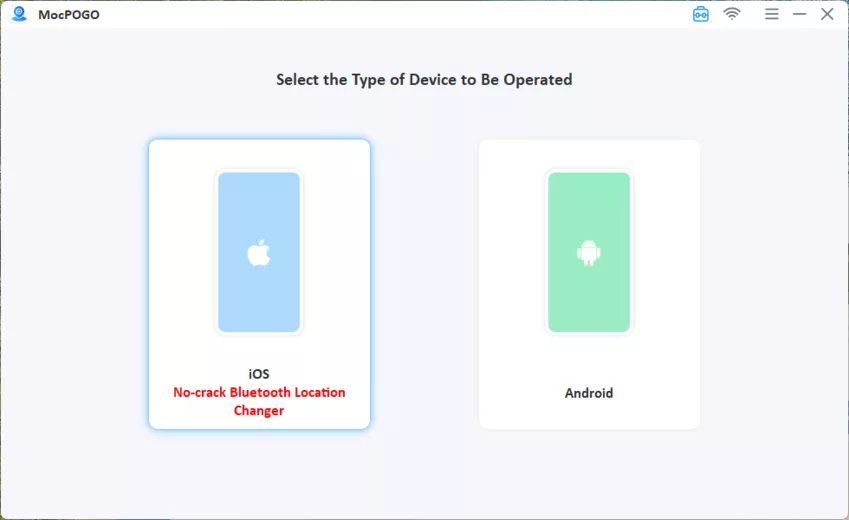
Step 2 Successfully connect your Android or iOS device to the system using the USB cable or WiFi. If MocPOGO is used for the first time, you need to enable USB debugging on Android and Developer Mode on your iPhone.
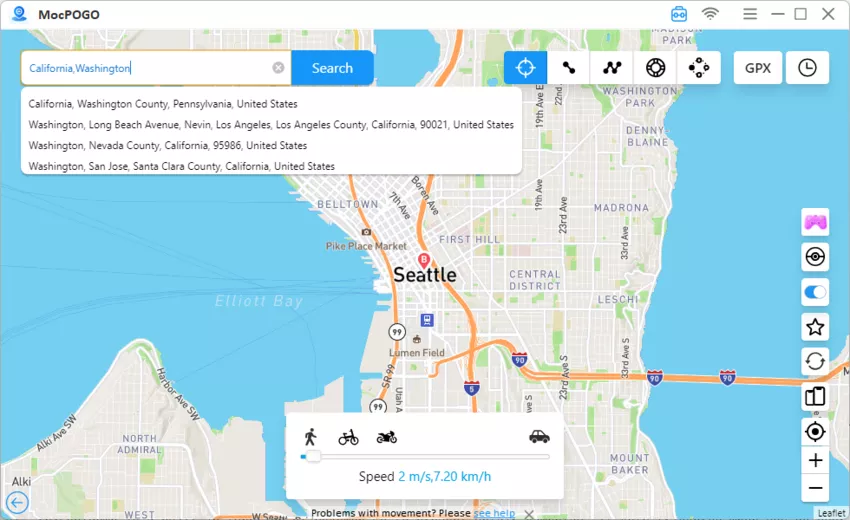
Step 3 To find your current location, tap on the Teleport Mode. In the search box, enter the desired country or its coordinates and click on the Search button.
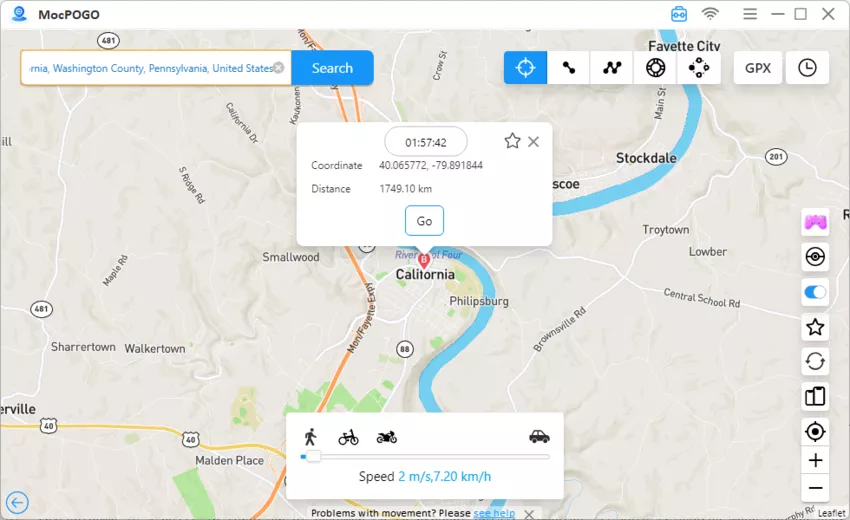
Step 4 Choose the selected country and then tap on the GO option, and your device location, including all location-based apps will change successfully.
Note:
You can also feel free to download MocPOGO iOS or Android version to change location on iPhone and Android devices directly.
5. Create a New Account
If other methods do not work for changing the country of your Google account, creating a new account for the new location is the best option. For this, you need to access your account using a new email ID and other details.
How to Change Country of Google Account by Creating a New Account
Step 1 Start by opening your existing Google account and signing out of it.
Step 2 Go to Google Sign-Up and then, using a different email ID, register a new account.

Step 3 Create the account using the address of the new country.
Step 4 Add a local payment method to verify and access the paid services.
Part 3. Related Questions about Changing My Country in Google Account
Q1: How do I change the default country in Google?
The default country in Google can be changed directly through the Settings page. Open your Google Account and go to Settings > Search settings. Move to Other Settings and select Language & region. In the Results region, choose the desired country from the drop-down menu.
Q2: Why can’t I change my region on Google?
In order to comply with the local laws and payment rules compliance, restrictions on changing the region are imposed by Google a lot of times. Some of these restrictions may be imposed if you have not passed the restriction of 12-month account changes, have not added a valid local payment method, your current account is still linked to the previous location, or if you are a part of the Google Family Library.
Q3: Why is Google showing the wrong country?
The wrong country is detected by Google when there is misidentification of the IP addresses, the browser data is cached, or there is VPN or proxy usage.
Q4: How does Google know my current country?
The current country is mainly determined by Google through the IP address that is assigned on the basis of your geographic region by the internet service providers.
Summary
When you change country of Google Account it provides access to content, services, and apps that are restricted in your area, and one of the best and simplest ways to do so is using a location-changing tool like MocPOGO. Change your country in just a few simple clicks, and that too without worrying about rooting or jailbreaking your device with MocPOGO.


